Plus Two Computer Science Notes Chapter 10 Server Side Scripting Using PHP

Kerala State Board New Syllabus Plus Two Computer Science Notes Chapter 10 Server Side Scripting Using PHP.

Kerala Plus Two Computer Science Notes Chapter 10 Server Side Scripting Using PHP

Overview of PHP (Formerly Personal Home Pages)

PHP stands for PHP Hypertext Preprocessor. Normally, it runs on a web server.

Benefits of using PHP

Client-side scripts(JavaScript) are run faster but it has some limitations. The limitations are we can view the source code hence it is less secure. On the other hand PHP is executed on the server and the result is sent back to the client(browser) so it is impossible to view the source code.

Benefits of PHP are given below

  • As PHP can be easily embedded into HTML moreover its easiness to convert a static web site into dynamic one.
  • It is compatible with almost all databases
  • It is platform independent can run on almost all OS (Windows, Linux, MAC)
  • It is simple and easy to learn
  • It uses very small amount of system resources
  • to run and faster.
  • PHP provides security to prevent malicious attacks.
  • Open source community supports PHP
  • It is a free s/w by all means hence can be used to develop all types of web sites

Basics of PHP

A) Setting up the development environment

Step 1

  • Install a PHP compatible web Server (Eg. Abyss Web Server For Windows)

Step 2

  • Install PHP interpreter.
    After installing the web server type http://localhost in the address bar the following screen will be available.
    Plus Two Computer Science Notes Chapter 10 Server Side Scripting Using PHP 1

B) Writing and running the script

Take a note pad and type the code, PHP code should begin with <?php andend with ?>. Save this file in the root directory of the web server with extension php.

Step 1
Take a notepad and type (he following and save it as first.php on C:\Abyss Web ServeAhtdocs.
<?php
echO”My first PHP web page”;
?>

Step 2
Start the web server if it is off

Step 3
Type as “http://localhost/firstphp” in the address bar.
Plus Two Computer Science Notes Chapter 10 Server Side Scripting Using PHP 2

C) Combining HTML and PHP
Both are closely related. We can write PHP code in between HTML code using <?php and ?>.
Eg:
Plus Two Computer Science Notes Chapter 10 Server Side Scripting Using PHP 3

D) Comments in PHP
We can make some text as a comment i.e. not as part of the program Single line(//) and multi line (starts with /* and ends with */)

<HTML>
<HEAD>
<TITLE>
My first php page </TITLE>
</HEAD>
<BODY>
<?php
/* This program is used to display a message “Welcome to php” */ echo “<H2>Welcome to php</H2>”; //shows a message?>
</BOD Y>
</HTML>

E) Output statements in PHP
i) echo and print are used to display all types of data but echo is used to produce multiple outputs. Parenthesis is optional,

eg:
echo “ first output”, “second output”;
or
echo (“ first output”, “second output”);
print “only one output”;
or
print (“only one output”);
The difference between echo and print

EchoPrint
Take more than one parameterOnly one parameter
Does not return any valueReturns TRUE or l on successful print and FALSE otherwise
Fasterslower

Plus Two Computer Science Notes Chapter 10 Server Side Scripting Using PHP 5

ii) var_dump()
This is used to display both data type and value of variables.
Syntax: var_dumpl(variablel, vanable2,etc…);

Eg:

Plus Two Computer Science Notes Chapter 10 Server Side Scripting Using PHP 6
Plus Two Computer Science Notes Chapter 10 Server Side Scripting Using PHP 7

Fundamentals of PHP

Variables

A variable name starts with $ symbol followed by the name of the variable. There is no need to declare a variable before using it. PHP automatically determines the data type based upon the value stored in it.
Syntax: $variable_name=value;

Rules for naming a variable in PHP

  • Begins with $ symbol followed by an alphabet or under score(a-zA-Zand _)
  • Digits(O-9)can be used after 2 characters.(Eg. $_1 ,$al ,$s12,etc)
  • Variable names are case sensitive.
  • Special characters cannot used except under score.

Data type

Plus Two Computer Science Notes Chapter 10 Server Side Scripting Using PHP 8

A) Core data types
Integer, Float/ Double and String, these data types are similar data types of C++. The size of integer or float is depending upon the OS.

  • Integer—Two types—ye and +ve.. PHPdoesnot support unsigned integer data type.
    Eg: 8172, -22, etc.
  • Float/ Double -:Numbers with decimal point.
    Eg: 81.72, 7E-1 0(7 * 1010 —Mantissa and Exponent method), 123E1 2(123*1012)
  • String: Combination of characters enclosed in quotes(single or double quotes) Eg: “BVM”,’HSS’, Computer Science’, etc.
  • Boolean: Used to store two values(states) TRUE or FALSE.
    Eg: values are yes/no, on/off, 1/0, true/false
    <?php
    Sx=false; Il assign the value FALSE to $x.
    $y=1; //assign the value TRUE to $y.

B) Special data types

  • Null-: Specialdata type with value NULL. This is the default value to a variable, if we do not set a value to it.
    $rn=null;
  • Array -: Array is a collection of elements. With the same name we can store many elements.
    Three types of array
    Indexed array-:
    Associated array-:
    Multi dimensional array-:
  • Object -; Similar in C++ and must be declared explicitly. At first a class is declared and then objects can be created using the command new.
  • Resources -: It is not an actual data type rather it is a special variable that hold references to file handler, data base object, etc.

Operators in PHP

Operators are the symbols used to perform an operation
a) Assignment operator(=)
The value of RHS is assigned to LHS variable. If $a=10 and $b=3 then $a=$b. This statement sets the value of $a and $b are same ,i.e. it sets a to 3.

b) Arithmetic operators
It is a binary operator. It is used to perform addition (+), subtraction(-), division(/), multiplication(*) ,modulus(%-givesthe remainder).
Eg. If $x=10 and $y=3then

$x+$y$x-$y$x*$y$x/$y$x%$y
137303.3331

c) Relational (Comparison) operators
It is used to perform comparison or relational operation between two values and returns either true or false.
Eg: If $X=10and $Y=3then

$X<$Y$X<=$Y$X>$Y$X>=$Y$X>==$Y$X!=$Y
falsefalsetruetruefalsetrue

d) Logical operators
Here (and , &&), (or, ||), xorare binary operators and not(!) is a unary operator. It is used to combine relational operations and it gives either true or false
If $X=true and $Y=false then

$x && $x$X && $Y$Y && $X$Y &&$Y
truefalseFalsefalse

Both operands must be true to get a true value in the case of && operation If $X=true and $Y=false then

$X and $X$X and $Y$Y and $X$Y and $Y
truefalseFalsefalse

Both operands must be true to get a true value in the case of ‘and’ operation If $X=true and $Y=false then

$X || $X$X || $YSY || $X$Y || $Y
truetruetruefalse

Either one of the operands must be true to get a true value in the case of || operation If $X=true and $Y=false then

$X or $X$X or $Y$Y or $X$Y or $Y
truetruetruefalse

Either one of the operands must be true to get a true value in the case of or operation If SX=true and $Y=false then

$X xor $X$X xor $Y$Y xor $X$Y xor $Y
truetruetruefalse

Either one of the operands must be true to get a true value in the case of xor operation If $X= true and $Y=false then

l$X!$Y
falsetrue

e) String addition operator(‘.’, ‘.=’)
This is also called concatenation operator. It joins(concatenates) two strings and forms a string.
They are and ‘.=’.
Eg:
$x= “BVM HSS
$y= “ Kalparamba”;
$z=$x.$y;

  • Here the variable z becomes “BVM HSS Kalparamba”.
    $x.=$y;
  • Here the variable $x becomes “BVM HSS Kalparamba”.

f) Combined operators.
It is also called short hands
If $X=1O and $Y= 3 then

Arithmetic Assignment ExpressionEquivalent Arithmetic ExpressionThe value of $X becomes
$X+=$Y$X=$X+$Y13
$X-=$Y$X=$X-$Y7
$X*=$Y$X=$X*$Y30
$X/=$Y$X=$X/$Y3.333
$X%=$Y$X=$X%$Y1

g) Increment and decrement operators.
1) pre increment (++variable)
Eg:
lf$x=10then
echo(++$x); -> It prints 10+1=11

2) post increment (variable++)
lf $x=10then
echo($x++); -> It prints 10 itself.

3) pre decrement—variable)
lf $x=10then
echo(—$x); It prints 10-1=9

4) post decrement(variable—)
lf $x=10then
echo($x—);-> It prints 10 itself.

h) Escape sequences
It Is a character preceded by a back slash(\)

OperatorDefinitionExampleOutput
\“To print”echo TPHPr“PHP’
\’To print1echo”X\ian”X’ian
\nNew lineecho “BVM \nHSS”BVM HSS
\tTo print tabecho”BVM\tHSS”BVM HSS
\rPrint carriage return
\$To printsecho”100\$”100$
\\To print \echo”\\n is used as newline”\n is used as new line

Control Structures in PHP

In general the execution of the program is sequential, we can change the normal execution by using the control structures.

simple if

Syntax:

Plus Two Computer Science Notes Chapter 10 Server Side Scripting Using PHP 9

Plus Two Computer Science Notes Chapter 10 Server Side Scripting Using PHP 10

The first expression evaluated and selects the statements with matched case value.

Loops in PHP

a) while loop
It is an entry controlled loop The syntax is given below
Loop variable initialised
while(expression)

{
Body of the loop;
Update loop variable;
}

b) do-while loop
This loop will execute at least once. The body of the loop will be executed until the expression becomes false,

do
{
Body of the loop;
Update loop variable;
}while(expression);

* for loop
The syntax of for loop is given below For(initialisation; testing; updation)

{
Body of the for loop;
}

continue and break in loops Continue is used to skip one iteration and continue the loop with next value. But break is used to terminate the execution of the current control structure such as for, for each, while, do while or switch.

Arrays in PHP

In PHP array is a collection of key and value pairs. Unlike C++, in PHP we can use either non negative integers or strings as keys.

Different types of arrays in PHP

  • Indexed arrays
  • Associate arrays
  • Multi dimensional arrays.

Indexed arrays-: The elements in an array can be distinguished as first or second or third etc. by the indices and the index of the first element is zero. In PHPthe function arrayO is used to create an array.
Syntax: $array_name=array(value1 ,value2, );
OR
$array_variable[key]=value;
Eg:$mark=array(60,70,80);
$course=amay(“Science”,”Commence”,”Humanities’);
OR
$mark[0]=60;
$mark[1]=70;
$mark[2]=80;
$course=”Science”;
$course=”Commerce”;
$course=”Humanities”;
Eg:
<!DOCTYPE HTML>
<html lang=”eii”>
<head>
<title>
We are learning PHP
</title>
</head>
<body bgcoior=”cyan”>
<?php
$course=amay(“Science”, “Commerce”,”Humanities’);
for($i=0;$i<3;$i++)
echo $course[$i].”,”;
?>
</body>
</html>
Plus Two Computer Science Notes Chapter 10 Server Side Scripting Using PHP 12

The function print_r can be used for printing an array.
Syntax: print_r(array_name);

Eg:
Plus Two Computer Science Notes Chapter 10 Server Side Scripting Using PHP 60

Associative arrays

Arrays with named keys and string indices are called associative jarrays.
Syntax: $varibale_name=array(key1=>value1, key2=>value2,etc);

Eg:
Plus Two Computer Science Notes Chapter 10 Server Side Scripting Using PHP 15
Plus Two Computer Science Notes Chapter 10 Server Side Scripting Using PHP 16

for each loops (Extension of for loop)

The number of elements in an array is not known in advance foreach loop is used. Two types

1) for ($array_variable_name as $value)
No need to specify the starting inde and ending index, the array pointer is moved one by one.
Plus Two Computer Science Notes Chapter 10 Server Side Scripting Using PHP 17
Plus Two Computer Science Notes Chapter 10 Server Side Scripting Using PHP 18

b) foreach($array_variable_name as key=> $value)
Here the value of the current array element is assigned to $value and the key is assigned to $key.
Plus Two Computer Science Notes Chapter 10 Server Side Scripting Using PHP 19
Plus Two Computer Science Notes Chapter 10 Server Side Scripting Using PHP 20

FunctionsinPHP

Two types user defined and built in functions.

User-defined functions

The key word function is used to declare a function in PHP.
Plus Two Computer Science Notes Chapter 10 Server Side Scripting Using PHP 21
Plus Two Computer Science Notes Chapter 10 Server Side Scripting Using PHP 22
Plus Two Computer Science Notes Chapter 10 Server Side Scripting Using PHP 23

Built-in functions

a) Date() -:Returns date and time.
Syntax: date(format[, timestamp]);

FormatPurpose
dday of the month(0-31)
mmonth(1-12)
Yyear
Iday of the week(Eg.Monday)

Plus Two Computer Science Notes Chapter 10 Server Side Scripting Using PHP 24

b) String functions

  • chr()-: Returns a character corresponding to the ASCI I. Eg. chr(ascii value);
  • strlen()- Returns the number of characters in a string strlen(string);
  • strops()- Returns the position of the first occurrence of a string inside another string. strpos(main string, substring, start position);
  • strcmp()- Compares two stings, strcm p(stri ng 1 ,stri ng2);

Plus Two Computer Science Notes Chapter 10 Server Side Scripting Using PHP 25
Plus Two Computer Science Notes Chapter 10 Server Side Scripting Using PHP 26

Three tier architecture in PHP

Tier 1 (Front end Tool): Browser/ Client uses HTML or HTML embedded with JavaScript.
Tier 2 (Middle end Tool)- Web Server(Apache /Microsoft IIS)
Tier 3 (Back end Tool)-Database(MySQL/Oracle) This means end user uses Browser(Tier 1) and send requests to the Web Server(Tier 2). The Web Server retrieves data from the Data Base(Tier 3). For this activities user interface, application programs, data storage etc are separated into layers(Tiers)

PHP forms

This is used to collect information from the client and send it to the Web Server by pressing the submit button. The server receives the data and collects the appropriate data from the data base and send it back as a response.

PHP global variables

A variable declared as global then it can be accessed from any where in the program.

  • Superglobal arrays : This is a special variable – available to all programs.
SuperglobalPurpose
SGLOBALSGlobal scope variables available. .
$_SERVERInformation about the server
$_GETData passed using the HTTP GET method
$_POSTData passed using the HTTP POST method
$_REQUESTData passed via HTTP request
$_FILESData passed by an HTML file input
$_SESSIONCurrent session data specific to the user
$_COOKIEData stored on the browser.

A) PHP$GLOBALS
PHP stores all global variables in an arräy calied $GLOBALS[index].
Index is the name of the variable.
Plus Two Computer Science Notes Chapter 10 Server Side Scripting Using PHP 27
Plus Two Computer Science Notes Chapter 10 Server Side Scripting Using PHP 28
Plus Two Computer Science Notes Chapter 10 Server Side Scripting Using PHP 29

B) PHP $_SERVER
This returns the paths and script locations.

CodeDescription
$_SERVER [‘PHP_SELF]Returns the currently executing file name
$_SERVER [‘SERVER_NAME’]Returns the host server name
$_SERVER [‘SCRIPT_NAME’]same as $_SERVER[‘PHP_SELF’]

Plus Two Computer Science Notes Chapter 10 Server Side Scripting Using PHP 30
Plus Two Computer Science Notes Chapter 10 Server Side Scripting Using PHP 31

C) PHP $_REQUEST
When a user click a submit button, $_REQUEST gathers all data. $_REQUEST is an array that contains $_GET, $_POST and $_cookie superglobals.

D) PHP $_POST
When the user presses the submit button and the method=post then the data is passed to the server and we can access the data by using the variable $_POST[‘variable name’];

E) PHP S_GET
When the user presses the submit button and the method=get then the data is passed to the seÑer and we can access the data by using the variable $_GET[’vanable namel;

GET and POST comparison

The difference between GET and POST method is given below.

Get methodPost method
1. Faster1. Slower
2. To send small volume of data.2. To send large volume of data
3. Up to 2000 characters3. No limit
4. Less secure4. More secure
5. Data visible during submission5. Data not visible during submission
6. Page link can be book marked6. Page link can never be book marked.

Connecting PHP to database(MySQL)

Establishing connection to MySQL database

To access data from the data base, the PHP program first establish a connection to the data base server(MySQL) and then specify the data base to use.Consider the following

  • Open a connection to MySQL.
  • Secify the data base we want to open.
  • Retrieve data from or insert data in to dat base.
  • Close the connection.

Step 1
Open a connection to MySQL
For this rnysql_connect function is used. A link identifier is returned when connected successfully otherwise a NULL value.
Plus Two Computer Science Notes Chapter 10 Server Side Scripting Using PHP 32
echo connected Successfully’;
mysql_dose($dbhandle);
?>

Note : In the above specify the password you given in MVSQL installation.

The out put is as given below.
Plus Two Computer Science Notes Chapter 10 Server Side Scripting Using PHP 33

Step 2
Specify the data base you want to open
MySQL server may contain many data bases. mysql_select_db() is a function used to select particular data base. It return true if it finds the data base otherwise false.
Syntax: mysql_select_db($database);

Eg:
Plus Two Computer Science Notes Chapter 10 Server Side Scripting Using PHP 34
Plus Two Computer Science Notes Chapter 10 Server Side Scripting Using PHP 35

Step 3
Reading data from data base
Two steps

a) Execute the SQL query on the data base using the function mysql_query()
Syntax:
$result_set=mysql_query(query,connection);

b) Insert a row using the function mysql_fetch_array()
Sresult_set=mysql_query(query, connection);
$fetched_row=mysql_fetch_array($result_set);

Example 1 :
Let us do the following program The structure of a table is given to store the details of marks scored by students in an exam

DataTypeDescription
RegNoNumericUnique
namecharupto 30 characters
coursechar
marks of 6 subjectsnumericsix separate columns

Write SQL statements for the creation of the table and the following requirements.

Step 1.
For this take MySQL and do the following
Plus Two Computer Science Notes Chapter 10 Server Side Scripting Using PHP 36

a) Insert data into the fields(min 3 records)
Plus Two Computer Science Notes Chapter 10 Server Side Scripting Using PHP 37

b) Display the details of all students.
Plus Two Computer Science Notes Chapter 10 Server Side Scripting Using PHP 38

Step 2:
Take a notepad and type the following then save it asform1.html

<html>
<body>
<form method-’post” action=”dbsample3.php”>
<center>RegisterNo:
<inputtype=”text” name=”regno”><br>
<input type=”submit” value=”Show Result”>
</center>
</form>
</body>
</html>

Step 3.
Take another notepad then type the following and save itasdbsampleS.php
Plus Two Computer Science Notes Chapter 10 Server Side Scripting Using PHP 41
Plus Two Computer Science Notes Chapter 10 Server Side Scripting Using PHP 42
Plus Two Computer Science Notes Chapter 10 Server Side Scripting Using PHP 43

Step 4.
Run the file forml .html and do the following
Plus Two Computer Science Notes Chapter 10 Server Side Scripting Using PHP 44

Example 2

Step 1.
Take a notepad and type the following. Save it as form2.html.
Plus Two Computer Science Notes Chapter 10 Server Side Scripting Using PHP 45

Step 2
Take another notepad then type the following and save it as dbsample4.php
Plus Two Computer Science Notes Chapter 10 Server Side Scripting Using PHP 46
Plus Two Computer Science Notes Chapter 10 Server Side Scripting Using PHP 47
Plus Two Computer Science Notes Chapter 10 Server Side Scripting Using PHP 48

Step 3.
Run the file form2.html and do the following
Plus Two Computer Science Notes Chapter 10 Server Side Scripting Using PHP 49

Creating a new table using PHP

It is possible to create a new table using PHP.
Syntax: $SQL=”create table <table name> (column_name1 data type constraint,etc)”; $select_query=mysql_query($SQL);

Eg:
Plus Two Computer Science Notes Chapter 10 Server Side Scripting Using PHP 50
Plus Two Computer Science Notes Chapter 10 Server Side Scripting Using PHP 51
Plus Two Computer Science Notes Chapter 10 Server Side Scripting Using PHP 52

Inserting data into a table using PHP

It is also possible to insert values in to a table using PHP program

Syntax:
$SQL=”insert into <table name> values (valuel, value2,…);
$select_query=mysql_query($SQL);

Ex:
Step 1.
Take a notepad .then type the following and save it asform3.html
<html>
<body>
<form method-’post” action-’table2.php”>
Plus Two Computer Science Notes Chapter 10 Server Side Scripting Using PHP 54

Step 2.
Take another notepad and type the following then save it as table2.php.
Plus Two Computer Science Notes Chapter 10 Server Side Scripting Using PHP 55

Step 3.
Run the file form3.html and do the following
Plus Two Computer Science Notes Chapter 10 Server Side Scripting Using PHP 56
Plus Two Computer Science Notes Chapter 10 Server Side Scripting Using PHP 57

Updating data in a table using PHP

It is also possible to change or update values in a row by using PHP.
$SQL=”Update ctable_name> set ccolumn_name>= new_value where condition.
$select_query=mysql_query($SQL);

Ex:
If you want to change the amount deposited by Jose from 2000 to 3000. Do the following.

Step 1.
Take a notepad, then type the following and save it asform3.html
Plus Two Computer Science Notes Chapter 10 Server Side Scripting Using PHP 58
Plus Two Computer Science Notes Chapter 10 Server Side Scripting Using PHP 59

Plus Two Computer Science Notes Chapter 9 Structured Query Language

Kerala State Board New Syllabus Plus Two Computer Science Notes Chapter 9 Structured Query Language.

Kerala Plus Two Computer Science Notes Chapter 9 Structured Query Language

SQL – Structured Query Language developed at IBM’s San Jose Research Lab.

The result of the compilation of DDL statements is a set of tables, which are stored in a special file called a data dictionary.

Creating a database in Mysql CREATE DATABASE <database_name>;
Eg:
mysql>CREATE DATABASE BVM;

Opening a database
USE command used to use a database
USE <database_name>;
Eg:
mysql>USE BVM;
The SHOW command is used to list the entire database in our system.
mysql>SHOW DATABASES;

Data Types

  • Char – It is used to store a fixed number of characters. It is declared as char(size).
  • Varchar – It is used to store characters but it uses only enough memory.
  • Dec or Decimal – It is used to store numbers
    with decimal points. It is declared as Dec (size, scale). We can store a total of size number of digits. .
  • Int or Integer- It is used to store numbers with¬out decimal point. It is declared as int. It has no argument. Eg: age int.
  • Smallest – Used to store small integers.
  • Date – It is used to store date. The format is yyyy- mm-dd. Eg: ‘1977-05-28’!
  • Time – It is used to store time. The format is

DDL commands (3 commands)

  • Create table
  • Alter table
  • Drop table

DML commands (4 commands)

  • Select
  • Insert
  • Delete
  • Update

DCL (Data Control Language) commands

1. Grant
2. Revoke

Rules for naming tables and columns

  • The name may contain alphabets(A-Z, a-z),digits(0-9), underscore (J and dollar ($) symbol
  • The name must contain at least one character.
  • Special characters cannot be used except _ and $
  • Cannot be a keyword
  • The name must be unique.

Constraints are used to ensure database integrity.

  • Not Null
  • Unique
  • Primary key
  • Default
  • Autojncrement

Order By:
Used to sort rows either in ascending (asc) or descending (desc) order.

Aggregate functions

  • Sum()- find the total of a column.
  • Avg()-find the average of a column.
  • Min()- find the smallest value of a column.
  • Max() – find the largest value of the column.
  • Count()-find the number of values in a column.

Group by clause is used to group the rows. Having clause is used with Group By to give conditions.

Plus Two Computer Science Notes Chapter 8 Database Management System

Kerala State Board New Syllabus Plus Two Computer Science Notes Chapter 8 Database Management System.

Kerala Plus Two Computer Science Notes Chapter 8 Database Management System

DBMS means Data Base Management System. It is a fool used to store a large volume of data, retrieve and modify the data as and when required. DBMS consists of data and programs.

Advantages of DBMS

  • Data Redundancy
  • Inconsistency can be avoided
  • Data can be shared
  • Standards can be enforced
  • Security restrictions can be applied
  • Integrity can be maintained
  • Efficient data access
  • Crash recovery

Structure of DBMS

  • Fields – Smallest unit of data. Eg: Name, age, sex, …
  • Record – Collection of related fields.
  • File- Collection of records

Components of DBMS

a) Databases – It is the main component.
b) Data Definition Language (DDL) It is used to define the structure of a table.
c) Data Manipulation Language (DML) – It is used to add, retrieve, modify and delete records in a database.
d) Users – With the help of programs users interact with the DBMS.

Database Abstraction

  • Abstraction means hiding, it hides certain details of how data is stored and maintained.

Levels of Database Abstraction

  • Physical Level (Lowest Level) – It describes how the data is actually stored in the storage medium.
  • Logical Level (Next Higher Level) – It de¬scribes what data are stored in the database.
  • View Level (Highest level) – It is closest to the users. It is concerned with the way in which the individual users view the data.

Data Independence

It is the ability to modify the scheme definition in one level without affecting the scheme definition at the next higher level.

a) Physical Data Independence – It is the ability to modify the physical scheme without causing application programs to be rewritten.

b) Logical Data Independence – It is the ability to modify the logical scheme without causing ap-plication programs to be rewritten.

Users of Database

  • Database Administrator
  • Application Programmer
  • Naive users

Data models – It is a collection of tools for describ¬ing data, data relationships, data semantics, and consistency problem. 3 models.

  • Hierarchical model
  • Network model
  • Relational model

RDBMS – Relational Data Base Management System. It consists of a collection of relations as a database.

  • Relation means table.
  • Domain – A pool of possible values from which col¬umn values are drawn.
  • Tuple means rows.
  • Attributes means columns. ,
  • Cardinality – The number of rows.
  • Degree -The number of columns
  • View- A view is a virtual table derived from one or more base tables.
  • Key is used to identify or distinguish a tuple in a relation.
  • Candidate key- It is used to uniquely identify the row.
  • Primary key – It is a set of one or more attributes used to uniquely identify a row.
  • Alternate key -A candidate key other than the primary key.
  • Foreign key- A single attribute or a set of attributes, which is a candidate key in another table is called a foreign key.
  • Relational Algebra – It consists of a set of operations that takes one or two relations as input and produces a new relationship as a result.
    • Select operation (σ)
    • Project Operation (π)
    • Cartesian Product (-)
    • Union Operation (∪)
    • Intersection operation (∩)
    • Set difference operation (-)

Plus Two Computer Science Notes Chapter 7 Web Hosting

Kerala State Board New Syllabus Plus Two Computer Science Notes Chapter 7 Web Hosting.

Kerala Plus Two Computer Science Notes Chapter 7 Web Hosting

Web hosting

Buying or renting storage space to store website in a web server and provide service(made available 24×7) to all the computers connected to the Internet. This is called web hosting. Such service providing companies are called web hosts. Programming languages used are PHP, ASP.NET, JSP.NET, etc.

Types of web hosting

Various types of web hosting services are available. We can choose the web hosting services according to our needs depends upon the storage space needed for hosting, the number of visitors expected to visit, etc.

  • Shared Hosting
  • Dedicated Hosting
  • Virtual Private Server (VPS)

Buying hosting space

We designed a website of our school and we decide our school website to be made available to all over the world, we have to place the website files on a web server for that we have to purchase hosting space(memory space) in a web server.

Following factors to be considered

  • Buying sufficient amount of memory space for storing ourwebsite files
  • If the web pages contain programming contents supporting technology must be consider
  • Based upon the programs select Windows hosting or Linux hosting

Domain Name System(DNS) Registration

Millions of websites are available over the Internet so that our website must be registered with a suitable name. Domain Name registration is used to identify a website over Internet. A domain name must be unique(i.e. no two website with same name is available). So you have to check the availability of domain name before you register it, for this www.whois.net website will help. If the domain name entered is available then we can register it by paying the Annual registration fees through online.

FTP (File Transfer Protocol) client software

When a client requests a website by entering website address. Then FTP client software helps to establish a connection between client computer and remote server computer. Unauthorised access is denied by using username and password hence secure our website files for that SSH(Secure Shell) FTP simply SFTP is used. Instead of http://, it uses ftp://.

By using FTP client s/w we can transfer(upload) the files from our computer to the web server by usrng the ‘drag and drop’ method. The popular FTP client software are FileZilla, CuteFTP, SmartFTP, etc.

Free hosting

The name implies it is free of cost service and the expense is meet by the advertisements. Some service providers allow limited facility such as limited storage space, ,do not £llow multimedia(audio and video) files.

A paid service website’s address is as follows
eg: www.bvmhsskalparamba.com

Usually two types of free web hosting services as follows
1) as a directory service.
Service provider’s website address/ our website address
eg: www.facebook.com / bvm hss kalparambu

2) as a Sub domain
Our website address.service providers website address
eg: bvmhsskalparamba.facebook.com
Earlier web hosting services are expensive but nowadays it is cheaper hence reduced the need for free web hosting.

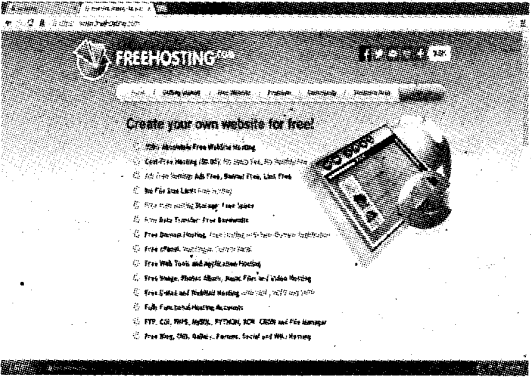
Example for free web hosting.
Plus Two Computer Science Notes Chapter 7 Web Hosting 1

Content Management System(CMS)

Do you heard about Data Base Management System(DBMS). DBMS is a software(collection of programs) used to create, alter, modify, delete and retrieve records of a Data Base. Similarly CMS is a collection of programs that is used to create, modify, update and publish website contents. CMS can be downloaded freely and is useful to design and manage attractive and interactive websites with the help of templates that are available in CMS. WordPress, j’oomla, etc are the examples of CMS.

Responsive web design

The home page is displayed differently according to the screen size of the browser window(different screen sized devices-mobile phone, palm top, tablet, lap top and desk top) we used. The website is designed dynamically(flexibly) that suit the screen size of different device introduced by Ethan Marcotte. Before this, companies have to design different websites for different screen sized devices. By responsive web design, companies have to design only one website that suitably displayed according to the screen size of the devices.

It is implemented by using flexible grid layout, images and media queries

  • Flexible grid layouts : It helps to set the size of the web page to fit the screen size of the device.
  • Flexible image and video : It helps to set the image or video dimension to fit the screen size of the device.
  • Media queries : There is an option(settings) to select the size of the web page to match our device, this can be done by using media queries inside the CSS file.

A well known Malayalam daily Malayala Manorama launched their responsive website.

Plus Two Computer Science Notes Chapter 6 Client-Side Scripting Using JavaScript

Kerala State Board New Syllabus Plus Two Computer Science Notes Chapter 6 Client-Side Scripting Using JavaScript.

Kerala Plus Two Computer Science Notes Chapter 6 Client-Side Scripting Using JavaScript

JavaScript(Original name was Mocha) was developed by Brendan Eich for the Netscape Navigator browser later all the browsers support this.

Getting Started With Javascript

  • Scripts are small programs embedded in the HTML pages, to write scripts <SCRIPT> tag is used.

Two types of scripts

1. Client scripts -These are scripts executed by the browser(client) hence reduces network traffic and workload on the server.

2. Server scripts – These are scripts executed by the server and the results as a webpage returned to the client browser.

  • The languages that are used to write scripts are known as scripting languages. Eg: VB Script, Javascript etc.
  • Javascript and VB Script are the two client-side scripting languages.
  • Java script(developed by Brendan Eich for the Netscape browser) is a platform-independent scripting language. Means It does not require a particular browser. That is it runs on any browser hence it is mostly accepted scripting language. But VB Script(developed by Microsoft) is a platform-dependent scripting language. Means it requires a particular browser(MS Internet Explorer) to work which is why it is not widely accepted scripting language.
  • Attribute makes the tags meaningful Language attribute specifies the name of the scripting language used.
    Example:
    <SCRIPT Language=” JavaSCript”>
    </SCRIPT>
  • The identifiers are case sensitive (means Name and NAME both are treated as different)
  • CamelCase : An identifier does not use special characters such as space hence a single word is .formed using multiple words. Such a naming method is called CamelCase(without space between words and all the words first character is in upper case letter). These are two types

1) UpperCamelCase -. when the first character of each word is capitalised, Eg. Date Of Birth, JoinTime,etc
2) lowerCamelCase: when the first character of each word except the first word is capitalised. Eg. date of birth, join time, etc,…

  • To write anything on the screen the following function is used document.write(string);
    eg. document.write(“Welcome to BVM HSS, Kalparamba”);
    Note : Like C++ each and every statement in javascript must be end with semicolon(;).
  • To create a web page using javascript
  • <HTML>
    <HEAD><TITLE>JAVASCRIPT- WELCOMED TITLE></HEAD>
    <BODY>
    <SCRIPT Language=”JavaScript”>
    document.write(“welcome to my first javascript page”);
    </SCRIPT>
    </BODY>
    </HTML>
    Its output is as follows
    Plus Two Computer Science Notes Chapter 6 Client-Side Scripting Using JavaScript 1

Creating Functions In Javascript

  • Function : Group of instructions(codes) with a name, declared once can be executed any number of times. There are two types 1) built in and 2)user defined
  • To declare a function, the keyword function is used.
  • A function contains a function header and function body
  • Even though a function is defined within the body section, it will not be executed, if it is not called. Syntax: function <function name>()
{
Body of the function;
}
Eg: function print()
{
document.writefWelcometo JS”);
}
  • Here the function is the keyword.
  • the print is the name of the user-defined function
  • To execute(call) the above function namely print do as follows,
print();
Eg:
<HTML>
<HEAD><TITLE>JAVASCRIPT- functionc</ TITLE></HEAD>
<SCRIPT Language ”JavaScript”>
function print()
{
document.write(“welcome to my first javascript page using print function”);
}
</SCRIPT>
<BODY>
<SCRIPT Language*’JavaScript”> printO;
</SCRIPT>
</BODY>
</HTML>
Plus Two Computer Science Notes Chapter 6 Client-Side Scripting Using JavaScript 2

Datatypes In Javascript

Unlike C++ it uses only three basic data types

  1. Number: Any number(whole or fractional) with or without sign.
    Eg:+1977,-38.0003,-100,3.14157,etc
  2. String: It is a combination of characters enclosed within double quotes.
    Eg: “BVM”, “[email protected]”, etc
  3. Boolean : We can store either true or false.lt is case sensitive. That means can’t use TRUE OR FALSE

Variables In Javascript

For storing values you have to declare a variable, for that the keyword var is used. There is no need to specify the data type.
Syntax:
var<variable name1> [, <variable name2>, <variable name3>,etc…]
Here square bracket indicates optional.
Eg: varx,y,z;
x= 11;
y = “BVM”;
z = false; .

Here x is of number type, y is of string and z is of Boolean type.

typeof(): this function is used to return the data type, undefined : It is a special data type to represent variables that are not defined using var.

Operators In Javascript

  • Operators are the symbols used to perform an operation

Arithmetic operators

It is a binary operator. It is used to perform addition(+), subtraction^), division^, multiplication(*), modulus (%-gives the remainder) ,increment(++) and decrement—Operations.
Eg.
If x=10 and y=3 then

x+yx-yx*yx/yx%y
137303.3331

ifx=10then
document.write(++x); -> It prints 10+1=11 lfx=10then
document.write(x++); -> It prints 10 itself. Ifx=10then
document.write(—x); It prints 10-1=9 lfx=10then
document.write(x—);-> It prints 10 itself.

Assignment operators

If a = 10 and b = 3 then a = b. This statement sets the value of a and b are same, i.e. it sets a to 3.
It is also called short hands
lf X = 10 and Y = 3 then

Arithmetic Assignment ExpressionEquivalent Arithmetic ExpressionThe value of X becomes
X+=YX=X+Y13
X-=YX=X-Y7
X*=YX=X*Y30
X/=YX=X/Y3.333
X%=YX=X%Y1

Relational(Comparison) operators

It is used to perform comparison or relational operation between two values and returns eithertrue orfalse.
Eg:
lf X = 10 and Y = 3 then

X<YX<=YX>YX>=YX==<X!=Y
falsefalsetruetruefalsetrue

Logical operators

Here AND(&&), OR(||) are binary operators and NOT(!) is a unary operator. It is used to combine relational operations and it gives either true or false If X=true and Y=false then

X&&XX&&YY&&XY&& Y
truefalseFalsefalse

Both operands must be true to get a true value in the case of AND(&&) operation If X=true and Y=false then

X || XX || YY || XY || Y
truetruetruefalse

Either one of the operands must be true to get a true value in the case of OR(||) operation
If X= true and Y=false then

IX!Y
falsetrue

String addition operator(+)

This is also called concatenation operator. It joins(concatenates) two strings and forms a string.
Eg:
var x,y,z;
x = “BVM HSS
y = “Kalparamba”;
z = x+y;

  • Here the variable z becomes “BVM HSS Kalparamba”.

Note: If both the operands are numbers then addition operator(+) produces number as a result otherwise it produces string as a result. Consider the following.

Operand 1 data typeOperand 2 data typeOperationResultant data type
numbernumber+(addition)number
numbersiringstring
stringnumberstring
stringstringstring

Eg:

  • 8(number) + 3(number)=11 (Result is a number)
  • 8 (number)+“3”( string) = “83” (Result is a string)
  • “8” (string) + 3 (number) = “83”(Result is a string)
  • “8” (string) + “3″ (string) = “83” (Result is a string)

Control Structures In Javascript

In general the execution of the program is sequential, we can change the normal execution by using the control structures.

Simple if

Syntax:

if(test expression)
{
statements;
}

First the test expression is evaluated, if it is true then the statement block will be executed otherwise not.

if - else
Syntax:
if (test expression)
{
statement blockl;
}
else
{
statement block2;
}

First the test expression is evaluated, if it is true then the statement blockl will be executed other wise statement block2 will be evaluated.

Switch
It is a multiple branch statement. Its syntax is given below.
switch(expression)

{
case value1: statements;break;
case value2: statements;break;
case value3: statements;break;
case value4: statements;break;
case value5: statements;break;
.............
default : statements;
}

First expression evaluated and selects the statements with matched case value.

for loop

The syntax of for loop is given below For(initialisation; testing; updation)

{
Body of the for loop;
}

while loop

It is an entry controlled loop The syntax is given below
Loop variable initialised
while(expression)

{
Body of the loop;
Update loop variable;
}

Here the loop variable must be initialised out side the while loop. Then the expression is evaluated if it is true then only the body of the loop will be executed and the loop variable must be updated inside the body. The body of the loop will be executed until the expression becomes false.

Built In Functions (Methods)

1) alert() : This is used to display a message (dialogue box) on the screen.
eg: alert(“Welcome to JS”);

2) isNaN() : To check whether the given value is a number or not. It returns a Boolean value. If the value is not a numberfNaN) then this function returns a true value otherwise it returns a false value.
Eg.

  • isNaN(“BVM”); returns true
  • isNaN(8172); returns false
  • isNaN(“680121 ”); returns false
  • alert(isNaN(8172); displays a message box as false

3. toUpperCase() : This is used to convert the text to upper case.
Eg;
varx=”bvm”;
alert(x.toUpperCase());

4. toLowerCase() This is used to convert the text to lower case.
Eg:
varx-‘BVM”;
alert(x.toLowerCase());

5. charAt() : It returns the character at a particular position.
Syntax: variable.charAt(index);
The index of first character is 0 and the second is 1 and so on.
Eg:
varx-’HIGHER SECONDARY”;
alert(x.charAt(4));

Eg 2.
varx=”HIGHER SECONDARY”;
alert(“The characters @ first position is “+x.charAt(0));

6. length property : It returns the number of characters in a string.
Syntax: variable.length;
Eg.
varx=”HIGHER SECONDARY”;
alert (“The number of characters is “+ x.length);
Output is as follows(note that space is a character)

Accessing Values In A Textbox Using Javascript.

Name attribute of FORM, INPUT, etc is very important for accessing the values in a textbox.

Consider the following program to read a number and display it

<HTML>
<HEAD><TITLE>JAVASCRIPT- read a value from the console</TITLE>
<SCRIPT Language=”JavaScript”>
function print()
{
varnum;
num=document.frmprint.txtprint. value;
document.write(“The number you entered is “ + num);
}
</SCRIPT>
</HEAD>
<BODY>
<FORM Name="frmprint">
<CENTER>
Enter a number
<INPUTType="text" name="txtprint">
<INPUT Type="button" value="Show" onClick= "printO">
</CENTER>
</FORM>
</BODY>
</HTML>

In the above code,

  • print() is the user defined function.
  • onClick is an event(lt is a user action). The function print() is executed when the user clicks the show button. Here code is executed as a response to an event.
  • frmprint is the name of the form.
  • txtprint is the name of the text.

Ways To Add Scripts To A Web Page.

Inside <BODY> section

  • Scripts can be placed inside the <BODY> section.

Inside <HEAD> section

  • Scripts can be placed inside the <HEAD> section. This method is widely accepted method

External (another) JavaScript file

We can write scripts in a file and save it as a separate file with the extension .js. The advantage is that this file can be used across multiple HTML files and can enhance the speed of page loading.

Plus Two Computer Science Notes Chapter 5 Web Designing Using HTML

Kerala State Board New Syllabus Plus Two Computer Science Notes Chapter 5 Web Designing Using HTML.

Kerala Plus Two Computer Science Notes Chapter 5 Web Designing Using HTML

3 types of Lists in HTML

  1. Unordered List (<UL>) – Items are displayed with square, circle or disc in front
  2. Ordered List (<OL>) – Items are displayed with the following type values.
    Type = 1 for 1,2, 3, ………..
    Type = i for i, ii, iii, ………..
    Type = I for I, II, III, ………..
    Type = a for a, b, c, ………..
    Type =Afor A,B,C, ………..
  3. Definition List (<DL>) – It is formed by definitions.
    • <L/> – It is used to specify List items.
    • <DT> – It is used to specify Definition Term.
    • <DD> – Used to specify the description
    • <A> is used to provide hyperlinks. Two types of linking. Its attribute is HREF.

1) External link – Used to connect 2 different web . pages.
2) Internal link – Used to connect different locations of same page.

Concept of URL

URL means uniform Resource Locator.
Two type of URL
a) Relative URL – Here we explicitly give the web site address
Eg: <Ahref=http://www.hscap.kerala.gov.in>

b) Absolute URL – Here we implicitly give the web site address. The path is not specified here.
Eg: Consider the web pages index.html and school.htmi saved in the folder C:\BVM. The file indexs.html contains the following.

<A href=”school.htmr>. Here we did not specify the full path of the file school.html. But this implicitly points to the file stored in C:\BVM

Creating Graphical hyperlinks

It can be achieved by using the <img> tag inside the <a>tag.
Eg:
<A href=”school.html”><img src=”school.jpg”></A>

Creating E- mail linking
It can be achieved by using the key word mailto as a value to href attribute
Eg:
<A href=mailto:”[email protected]”> SPARK</A>

  • Insert music and videos
  • <embed> tag is used to add music or video to

Attributes

  • src- specifies the file to play
  • width – Specifies the width of the player
  • height-Specifies the height of the player
  • hidden – Used to specifies the player is visible or not
  • <noembed> – Used to specifies an alternate when the browser does not support the <embed> tag.

Attribute

  • src-Used to specify the image file
  • alt – Used to specify the alternate text Eg:
    <html>
    <head>
    </head>
    <body>
    Here is a tag embed to play music
    <embed src=”c:\alvis.wma” width=”500″ height=”500″ hidden=”true”> </embed>
    </body>
    </html>

<bgsound>tag
This tag is used to play back ground song or music Eg:
<html>
<head>
</head>
<body>
<bgsound src=”c:\alvis.wma” loop=”infinite”> </body>
</html>

  • <Tabie> is used to create a table.
  • <TR> is used to create a row.
  • <TH> is used to create heading cells.
  • <TD> is used to create data cells.

<Table> Attributes

  • Border – It specifies the thickness of the border lines.
  • Bordercolor- Color for border lines.
  • Align – Specifies the table alignment in the window.
  • Bgcolor – Specifies background colour.
  • Cellspacing- Specifies space between table cells.
  • Cellpadding – Specifies space between cell border and content.
  • Cols – Specifies number.of columns in the table.
  • Width – Specifies the table width.
  • Frame – Specifies the border lines around the table.
  • Rules – Specifies the rules (lines) and it over rides the border attribute.

Values are given below

  1. none- display no rules
  2. cols – display rules between columns only(vertical lines)
  3. rows – display rules between rows only(horizontal lines)
  4. groups- display rules between row group and column groups only
  5. all – rules between all rows and columns.

<TR> attributes

  • align – specifies the horizontal alignment. Its val- . ues are left, right, centre or justify.
  • Valign- Specifies the vertical alignment. Its values are top, middle, bottom or baseline.
  • Bgcolor – Used to set background color

<TH> and <TD> attributes

  • Align – specifies horizontal alignment. Its values are left, right, centre or justify.
  • Valign – Specifies vertical alignment. Its values are top, middle, bottom or baseline.
  • Bgcolor- Specifies border color for the cell.
  • Colspan – Specifies the number of columns span forthecell.
  • Rowspan – Specifies the number of rows span forthecell.

Frameset:

  • It is used to divide the window more than one pane. It has no body section.

<Frameset> attributes

  • cols – It is used to divide the window vertically.
  • rows – It is used to divide the window horizontally.
  • border-specifies the thickness of frame border.
  • bordercolor – specifies the color of frame border.

Frame:

  • It specifies the pages within a frameset.

<Frame> attributes

  • SRC – specifies the web page.
  • Scrolling – Scroll bar is needed or not its values are yes, no or auto.
  • Noresize – It stops the resizing of the frame.
  • Margin width and Marginheight – Sets margins
  • Name- Togivenameforthefratne.
  • Target – specifies the target.

<No frame>

  • It is used to give content when some browsers that do not support frameset.
  • Nesting of framesets Step 6: Finally execute the frame.html file
  • <Form> It is used to take data from the users and send to the server.
  • <Input> It is used to create input controls. Its type attribute determines the control type.

Main values of type attribute is given below.

  • Text – To create a text box.
  • Password – To create a password text box.
  • Checkbox – To create a check box.
  • Radio – To create a radio button.
  • Reset – To create a Reset button.
  • Submit – To create a submit button.
  • Button-To create a button
  • To create a group of radio button, then the name attribute must be same.
  • <Textarea> is used to create a multiline text box.
  • <Label> It is used to give labels.
  • <Select> It is used to create list box or combo box. The items must be given by using <option> tag. Attribute
  • Name – Specifies the name of the object to identify
  • Size – If it is 1, the object is combo box otherwise it is a list box
  • Multiple – Allows to select multiple items

<Form> attributes

  1. Action – Here we give the name of the program (including the path) stored in the Webserver.
  2. Method – There are 2 types of methods get and post.
    Get methodPost method
    1. Faster1. Slower
    2. To send a small volume of data2. To send a large volume of data
    3. Less secure3. More secure
    4. Data visible during submission4. Data not visible during submission
  3. Target – Specifies the target window for displaying the result. Values are given below.
    • blank – Opens in a new window
    • self-Opens in the same frame
    • parent – Opens in the parent frameset
    • top – Opens in the main browser window
    • name – Opens in the window with the specified name.
    • <Fieldset> tag

This tag is helpful to divide a form into different subsections and form groups. <legend> tag used to give a caption for the <fieldset> section.

Plus Two Computer Science Notes Chapter 4 Web Technology

Kerala State Board New Syllabus Plus Two Computer Science Notes Chapter 4 Web Technology.

Kerala Plus Two Computer Science Notes Chapter 4 Web Technology

  • Website – It is a collection of web pages contained text and multimedia(image, audio, video, graphics, animation etc) files.
  • A webpage is created by HTML tags
  • The first web page of a website is known as the home page.
  • www means world wide web.
  • Portals-Rediff, Hotmail, Yahoo, etc are called portals from which the user can do multiple activities.

Communication On The Web

Following are the steps happened in between user’s ’ click and the page being displayed

  • The browser determines the URL selected.
  • The browser asks the DNS for URLS corresponding IP address (Numeric address)
  • The DNS returns the address to the browser.
  • The browser makes a TCP connection using the ‘ IP address.
  • Then it sends a GET request for the required file to the server.
  • The server collects the file and send it back to the browser.
  • The TCP connection is released.
  • The text and the images in the web pages are displayed in the browser.

Client to web server communication

This communication is earned out between client to the web server (shopping site). The technology used to protect data that are transferred from client to web server is HTTPS (HyperText Transfer Protocol Secure). This encrypts user name, password etc. and sent to the server. HTTPS works using Secure Sockets Layer (SSL) ensures privacy as well as prevents it from unauthorised access (changes) from other web sites.

Following are the steps ,

  • Browser requests a web page to the server.
  • The server returns its SSL certificate.
  • Browser checks the genuinity of the certificate by the authorised certification authority (Eg: Veri sign)
  • The certificate authority certifies whether it is valid or not.
  • If it is valid the browser encrypts the data and transmits. The certificate can be viewed by click on the lock symbol.

Web server to web server communication

This communication is usually carried out between web server (seller) to another web server (normally bank). Forthe safe transactions Digital certificate issued by third party web sites are used.

Payment gateway is a server (Computer) that acts as a bridge (interface) between merchant’s server and bank’s serverto transfer money.

Web Server Technologies

Webserver

A computer with high storage capacity, high speed and processing capabilities is called a web server.

Software ports

The computer is not a single unit. It consists of many components. The components are connected to the computer through various ports. Two types of ports Hardware and Software.
Hardware ports : Monitors are connected through VGA ports and the keyboard or mouse are connected through PS/2 ports.

Software ports: It is used to connect client computers to the server to access different types of services. For example HTTP, FTP, SMTP etc. Unique numbers are assigned to software ports to identify them. It is a 16 bit number followed by IP address.

Default Port No.Services
20 & 21
22
25
53
80
110
443
File Transfer Protocol (FTP)
Secure shell (SSH)
Simple Mail Transfer Protocol (SMTP)
Domain Name System (DNS)
service Hypertext Transfer Protocol (HTTP)
Post Office Protocol (POP3)
HTTP Secure (HTTPS)

DNS servers

A DNS server is a powerful computer with networking software. It consists of domain names and their corresponding IP addresses. A string address is used to represent a website, it is familiar to the humans. The string address is mapped back to the numeric address using a Domain Name System (DNS). It may consists of 3 or 4 parts. The first part is www., the second part is website name, the third top level domain and the fourth geographical top level domain. .

eg-http://wwwsiic.kerala.gov.in / results.html.

http:- http means hyper text transfer protocol. It is a protocol used to transfer hypertext,

www:- World Wide Web. With an email address we can open our mail box from anywhere in the world, nic.kerala It is a unique name. It is the official website name of National Informatic Centre,

gov:- It is the top level domain. It means that it is a government organisation’s website,

in:- It is the geographical top level domain. It represents the country, in is used for India. results.htmlIt represents the file name.

Web Designing

Any text editor can be used for web designing. Besides that many software tools are available in the market to make the web pages more attractive and interactive, some of the popular softwares are Adobe dream weaver, Microsoft Expression web, Blue fish, Bootstrap etc.

Static And Dynamic Web Pages

Some pages are displaying same content(same text, images,etc) every time. Its content are not changing. This type of web pages are called static page. Conventional wep pages display static pages and has some limitations.

Advanced tools are used to create web pages dynamic, that means pages are more attractive and interactive. For this JavaScript, VBScript, ASP, JSP, PHP, etc are used.

Following are the differences

Static web pagesDynamic web pages
Content and layout is fixedContent and layout is changed frequently
Never use databaseDatabase is used
Run by browserIt runs on the server and the result get back to the client(browser)
Easy to developNot at all easy

Scripts

Scripts are small programs embedded in the HTML pages.
<SCRIPT> tag is used to write scripts

The attributes used are

  • Type-To specify the scripting language
  • Src-Specify the source file

Two types of scripts
1. Client scripts – These are scripts executed by the browser.
Eg: VB Script, Javascript etc.

2. Server scripts – These are scripts executed by the server.
Eg: ASP, JSP, PHP, Perl, etc.

  • The languages that are used to write scripts are known as scripting languages.

Scripting Languages

a. JavaScript: Java script(developed by Brendan Eich for the Netscape browser) is a platform /ncfepencfentscripting language. Means It does not require a particular browser. That is it runs on any browser hence it is mostly accepted scripting language.

Ajax : It is a technology to take data from the server and filled in the text boxes without refreshing (without reloading the entire page) the web page. Ajax is Asynchronous JavaScript and Extensible Mark up Language (XML). XML is an Extensible Mark up Language, it allows to create our own new tags. This technology uses JavaScript to perform this function. When we turned off JavaScript features in the browser, the Ajax application will not work.

b. VB Script: VB Script(developed by Microsoft) is a platform dependent scripting language. Means it requires a particular browser(MS Internet Explorer) to work that is why it is not widely accepted scripting language.

c. PHP (PHP Hypertext Preprocessor)

  • It is an open-source, general-purpose scripting language.
  • It is a server-side scripting language
  • Introduced by Rasmus Lerdorf
  • A PHP file with extension .php
  • It supports database programming the default DBMS is MySQL
  • It is platform-independent
  • PHP interpreter in Linux is LAMP(Linux, Apache, MySQL, PHP)

d. Active Server Pages (ASP)

  • ASP introduced by Microsoft
  • ASP stands for Active Server Page.
  • ASP’s are web pages that are embedded with dynamic contents, such as text.HTML tags and scripts.
  • An ASP file uses .asp extension.
  • In ASP, the script execute in the server and the effect will be sent back to the client computer.
  • Here a real time communication exists between the client and server.
  • ASP applications are very small.
  • The only server used is Microsoft Internet Information Server(IIS), hence it is platform dependant

e. Java Server Pages (JSP)

  • JSP introduced by Sun Micro System
  • JSP stands for Java Server Page.
  • An JSP file uses .jsp extension
  • It is platform-independent
  • It uses Apache Tomcat web server
  • JSP binds with Servlets(Servlets are Java codes run in Server to serve the client requests). ’

Cascading Style Sheet (Css)

It is a style sheet language used for specifying common format like colour of the text, font, size, etc. other than the HML codes. That is CSS file used to separate HTML content from its style.

It can be written in 3 ways as follows

  • Inline CSSInthebodysectionoftheHTMLfile
  • Embedded CSS In the head section of the HTML file
  • Linked CSS A separate file(external file, eg. bvm.css) with extension .css and can be linked in the web page

Code reusability(just like a function in C++) is the main advantage of CSS and can be used in all the pages in a website

  • HTML – Hyper Text Markup Language. Used to Create webpage.
  • Website is a collection of web pages.
  • It was developed by Tim Berners – Lee in 1980 at CERN.
  • Lynx, a text only browser for unix.
  • Mosaic it is a graphical browser.
  • Netscape Navigator, Microsoft Internet Explorer, Opera, Ice Weasel, Mozilla Firefox etc. are different browsers.
  • Java, C# are programming languages used forweb applications.
  • HTML f i les a re saved with .htm or. htm I.
  • Web browser is a piece of software used to view web pages.
  • Structure of an HTML Document
    <HTML>
    <HEAD>
    <TITLE>
    give title to the web page here
    </TITLE>
    </HEAD>
    <BODY>
    This is the body section.
    </BODY>
    </HTML>
  • Tags are keywords used to define the HTMLdocu- ment. Two types of tags Empty and container. Con- tainer tag has both opening and closing tag. But empty tag has opening tag only, no closing tag.
    Eg: empty tag:- <hr>, <br> etc., container tag:- <html>, </html>, etc.
  • Attributes are parameters used for providing additional information within a tag.
  • An HTML document has 2 sections. Head section and body section.

Attributes of <HTML> tag

1. Dir- This attribute specifies the direction of text displayed on the webpage, values are ltr(left to right), rtl(right to left)
2.. Lang- This attribute specifies the language values areEn(English), Hi(Hfndi), Ar(Arabic),etc Eg: <HTML dir=”ltr” lang=”Hi”>

  • Title tag is given in the head section.
  • Web page contents are given in the body section.
  • Attributes of Body tag. Bgcolor, Background, Text, Link, ALink, VLink, LeftMargin and Topmargin
  • Heading Tags(6 tags)
    <H1 >,<H2>,<H3>,<H4>,<H5> and <H6>.
    <H1> provides big heading and <H6> provides smallest.
  • <HR> is used to draw horizontal line. Its attributes are size, width, noshade and color.
  • <BR> is used to break a line.
  • Six Heading tags are used in HTML <H1 > to <H6>.
  • <B> to make the content Bold.
  • <l> to make the content in Italics.
  • <U> to underline the content. .
  • <S> and <STRIKE> – These two are used for striking out the text
  • <BIG> To make the text size bigger than the normal text
  • <SMALL> To make the size smaller than the normal text.
  • <STRONG> The effect is same as <B> tag. That is to emphasize a block of text
  • <EM> -The effect is same as <i> tag
  • <SUB>- create a subscript
  • <SUP> create a superscript
  • <BLOCKQUOTE>
    It is used to give indentation(giving leading space to a line)
  • <Q> It is used to give text within double quotes
  • <PRE> (Pre formatted text) – This tag is Used to display the content as we entered in the text editor.
  • <ADDRESS> This tag is used td provide information of the author or owner.
  • <MARQUEE> This tag is used to scroll a text or image vertically or horizontally.

Attributes of <MARQUEE>

  • Height – Sets the height of the Marquee text
  • Width – Sets the width of the Marquee text
  • Direction – Specifies the scrolling direction of the text such as up, down, left or right
  • Behavior- Specifies the type such as Scroll, Slide(Scroll and stop), and altemate(to and fro). <marquee behavior=”scroll” scroll amount-‘100″> hello</marquee>
    <marquee behavioF”slide” scrollamount-‘100H> hello</marquee>
    <marquee behavior=”attemate” scrollamount= “100”>hello</marquee>
  • Scroll delay- Specifies the time delay in seconds between each jump.
  • scroll amount- Specifies the speed of the text
  • loop- This specifies the number of times the marquee scroll. Default infinite.
  • bg color-Specifies the background colour.
  • Hspace – Specifies horizontal space around the marquee
  • Vspace – Specifies vertical space around the marquee
  • <Div> – Used to define a section or a block of text with same format.

Attributes

  • align – Sets the horizontal alignment. Values are left, right, center and justify
  • Id – Used to give a unique name
  • Style – Specify a common style to the content for example
  • <Font> used to specify the font characteristics. Its attributes are size, face and color.

Special Characters

CharacterEntityDescription
&nbsp;Non-breakable space
&quot;Double quotes
&apos;Single quote
&&amp;Ampersand symbol
<&lt;Less than symbol
>&gt;Greater than symbol
© .&copy;Copyright symbol
TM&trade;Trademark symbol
®&reg;Registered symbol
  • <IMG> tag is used to insert an image. Its important attributes are align, height, width and alt.
  • Comments are given by using <!- and → symbols.

Plus Two Computer Science Notes Chapter 3 Data Structures and Operations

Kerala State Board New Syllabus Plus Two Computer Science Notes Chapter 3 Data Structures and Operations.

Kerala Plus Two Computer Science Notes Chapter 3 Data Structures and Operations

It is a particular way of organizing similar or dissimilar logically related data items into a single unit.

Classification of data structures

Classified as simple and compound. Compound (mixture) data structure is further classified as linear and non-linear. A data structure is said to be linear if its elements form a sequence(it needs contiguous memory location) otherwise it is called a non-linear data structure needs random memory)

The examples of Linear data structures are stack, queue and linked list.
Plus Two Computer Science Notes Chapter 3 Data Structures and Operations 1

We know that memory is classified into two primary and secondary. Just like that data structures are classified as static and dynamic. Static data structure is associated with primary memory. The needed memory is allocated before the execution of the program and it is fixed through out the execution. Array is an example for this. In Dynamic data structure, memory is allocated during execution. Linked list is an example for this.

Operations on data structures

  • Traversing: Accessing or visiting or reading all elements of a data structure is called Traversal.
  • Searching: Searching is the process of finding elements in a data structure
  • Inserting : It is the process of adding new data at particular location is called insertion.
  • Deleting : It is the process of removing a particular element from the data structure
  • Sorting : Arranging elements in a particular order(ascending ordescending) is called sorting. Examples are bubble sort and selection sort.
  • Merging: This is the process of combining two sorted data structure and form a new one.

Stack

A stack is a linear structure in which items can be added or removed only at one end called top. Add an item into the stack is called push and deleting an item from the stack is called pop.

The data structure that follows LIFO principle is known as stack. Example. CD pack, idly utensils, etc. Implementation of stack In a stack the values can be added or removed by at the top end only.Stack can be implemented using array. Initially the value of‘top’is set to-1 to denote the stack is empty. Whenever a value is added to a stack top’ is incremented by 1. The index of first element is 0 and the last Is N-1.

Operations on stack

a) Push operation: It is the process of inserting (adding) a new data item into the stack. If the stack is full and we try to add a new item into the stack makes the stack over flow.

b) Pop operation: It is the process of deleting (removing) a data item from the stack. If the stack is empty and we try to delete an item from the stack makes the stack underflow.

Queue

The working principle of a Queue is First In First Out(FIFO) manner. A new data item is added at the rear and removed from the front of a Queue. Examples Queue in a Cinema theater, poling station etc. Implementation of Queue A new data item is added at the rear and removed from the front of a Queue.Queue can be implemented using array. Initially the value of front and rearisset to -1 to denote the queue is empty. Whenever a value is added to a queue the rear is incremented by 1. Similarly on each deletion the value of front will be incremented by, until it crosses the value of rear.

Operation on Queue

a) Insertion operation: It is the process of adding a new item into a queue at the rear end. If the queue is full and we try to add a new item into thequeue makes the queue overflow.

b) Deletion operation: It is the process of deleting (removing) a data item from the queue from the front. If the queu is empty and we try to delete an item from the queue makes the queue underflow.

Circular queue

As the name implies logically the shape of the circular queue is a shape of a circle. The linear queue has some limitations such as some occasions the capacity of the linear queue cannot be used fully. The limitation of linear queue can overcome by circular queue. Circular queue is a queue in which the two end points are connected

Linked List

Stack and queue are implemented by array and has the fixed storage capacity. That is these implementation are static. But linked list follows the dynamic data structure method. It grows and shrinks as and when the new items are added and removed respectively. Not only that an array requires contiguous memory but linked list not require contiguous memory rather it uses scattered memory and they linked by pointers. So an element in a linked list consists of data and an address it is called node. Here address is the link.

Linked list is a collection of nodes. The first node contains the data and address of next node. The second node contains the data and the address of next node and so on. The last node contains the last data and a null pointer.

Implementation of linked list
A node consists of data and address of the next node. The address is a pointer. To implement this self referential structure is used since structure consist s of different types of data.

Example
struct node

{
int data; 
node *link;
};

The special pointer start that points to the first node is created by as follows node ‘start;

Operations on linked list

a) Creation of linked list: Linked list can be implemented by self referential structure.
Step 1 : Create a node and obtain its address.
Step 2 : Store data and NULL in the node.
Step 3 : If it is the first node, store its address in Start.
Step 4 : If it is not the first node, store its address in the link part of the node.
Step 5 :’ Repeat the steps 1 to 4.

b) Traversing a linked list: Traversing is the process of reading all elements in a data structure.
Step 1 : Get the address of the first node and store it in the variable Temp.
Step 2 : Using the address jn Temp, get and store the data in Val.
Step 3 : The address of the next node store it in Temp.
Step 4: If the address of Temp is not null go to step 2, otherwise stop.

c) Insertion in a linked list Insertion is the process of adding new node to a data structure.
Step 1: Create a node and store its address in Temp.
Step 2 : Store the data and link part of this new node using Temp.
Step 3 : Get the address of the previous node (POS-1) and next node(POS+1) inthe pointers PreNode and PostNode respectively.
Step 4 : Copy the contents of Temp into the link part of node at position (POS-1). .
Step5 : Copy the contents of PostNode into the link part of new node that is pointed to by Temp.

d) Deletion from a linked list
It is the removal of a node from the data structure.
Step 1 : Get the address of the previous node (POS-1) and next node(POS+1) in the pointers PreNode and PostNode respectively.
Step 2 : Copy the contents of PostNode into the link part of node at position (POS-1).
Step 3: Free the node at position POS.

Plus Two Computer Science Notes Chapter 2 Concepts of Object-Oriented Programming

Kerala State Board New Syllabus Plus Two Computer Science Notes Chapter 2 Concepts of Object-Oriented Programming.

Kerala Plus Two Computer Science Notes Chapter 2 Concepts of Object-Oriented Programming

  • The organizing principle of a program is referred to as paradigm:
  • A program in procedural language consists of a list of Instructions.

Following are the main reasons for increasing the procedural language complexity.

a) Data is undervalued: Here the importance is on doing things rather than the data. The data I have the least importance. That is, data is enclosed to all and there is a chance to access or destroy this data accidentally or intentionally by many functions on a program.

b) Adding new data requires modifications to all / many functions: A program may contain many functions and these functions may access different data used in different locations. If we add new data items, we will need to modify all the functions that access the data. This is a laborious task.

c) Creating new data types is difficult: In procedural languages, some built-in data types such as int, float, double and character are available. Extensibility is the ability to create new data types without major rewriting of codes in its basic, architecture. Some programming languages are extensible but procedural languages are not extensible.

d) Provides poor real-world modeling: Procedural programming paradigm treats data and functions are different hot a single unit. In this Real-life simulations are not possible.

Object-Oriented Programming (OOP) paradigm We see that there are many drawbacks in Procedural Programming Paradigm, OOP eliminates these problems. It wraps data and functions into a single unit. Such units are called objects.

Advantages of using OOP are:

  • OOP allows modularity(divide the large programs into smaller ones)
  • It is good for defining abstract data types.
  • It allows data abstraction. That is it hides or protects data.
  • It allows code reusability
  • Real-life entities can be easily created 0 It supports to create new data types.

Basic concepts of OOP

1) Objects: Objects are real-world entities with similar attributes(properties) and behavior. An object combines data and functions as a single unit. The functions inside the object is called member functions and data is called a member. Example: student, car, chair etc.

2) Classes: A class is a collection of objects with similar attributes. An object is an instance of the class.
Eg. Automobile class, Furniture class etc.

A class declared using the keyword class. Class is considered as the blueprint to create objects. A structure consists of only specifications regarding data but a class consists of specifications regarding both data and functions.

  • Passing message: Calling the member function of an object from another object is called a passing message.
  • Every object will have data structures called at-tributes and behaviors called operations.
  • The object with same data structure (attributes or characteristics) and operations (behavior) are grouped into a class.
  • Data abstraction refers to the act of representing essential features without including the background details.
  • Encapsulation is the mechanism that associates the code and the data it manipulates and keeps them safe from external interference and misuse.
  • The data types created by data abstraction is known as Abstract Data type(ADT).
  • Inheritance is the capability of one class of things to inherit properties from another class.
  • Polymorphism is the ability for a message or data to be processed in more than one form. This is achieved by function overloading, operator overloading, and dynamic binding.

There are two types of polymorphism
a) Compile time(early binding/static) polymorphism: It is the ability of the compiler to relate or bind a function call with the function definition during compilation time itself. Examples are Function overloading and operator overloading

Function overloading: Functions with the same name and different signatures(the number of parameters or data types are different).

Operator overloading: It gives new meaning to an existing C++ operator.

Eg: we know that + is used to add two numbers, Operator overloading assigns + to a new job such as it concatenates two strings into one string,

b) Run time (late binding/dynamic) polymorphism: It is the ability of the compiler to relate or bind a function call with the function definition during run time. It uses the concept of pointers and inheritance.

  • Modularity is the property of a system that has been decomposed into a set of unified and loosely coupled modules.

Plus Two Computer Science Notes Chapter 1 Structures and Pointers

Kerala State Board New Syllabus Plus Two Computer Science Notes Chapter 1 Structures and Pointers.

Kerala Plus Two Computer Science Notes Chapter 1 Structures and Pointers

a) Structure is a group of different types of logically related data referenced by a single name.
Eg.

  • The collection of details of a student that may contain various data with different data types.
Data Data Type
Student Id Integer
Name String
Data of Birth Date(int-int-int
Sex Character

b) General Form of the declaration is
struct structure tag

{
Data members;
} structure variables;
Or
structure_tag var1,var2,....
Eg:
struct date
{
int dd;
int mm;
int yyyy;
};

date d1, d2, d3;

Note In Turbo C++ IDE the memory size used by int data type is 2 Bytes but in Geany IDE it is 4 Bytes. But the data type short uses only 2 Bytes.

c) Dot operator is used to access a single member. Each element of structure can be initialized sepa¬rately ortogether.
Example

#include<iostream>
using namespace std;
int main()
{
struct sample
{
int scode;
char sname[25];
}st1 ={8172,"BVM Kalparambu”};
cout<<“The details of our school is “<<endl;
cout<<“Scool Code\t:”<<st1.scode<<endl;
cout<<“Scool Name\t:”<<st1.sname<<endl;
}

Example:

#include<iostream>
using namespace std;
int main()
{
struct student
{
int reg_no;
charname[40];
char sex;
short ce,pe,te,total;
}st1;
cout<<”Enter Reg No:”;
cin>>stl .reg_no;
cout<<”Enter Name:”;
cin>>stl .name;
cout<<Enter sex:”;
cin>>stl .sex;
cout<<”Enter ce,pe and te scores:”;
cin>>stl .ce>>stl .pe>>stl .te;
st1 .total=stl .ce+stl .pe+stl .te;
cout<<"\ηThe details of Studenti is given below”;
cout<<”Reg\t:”<<stl .reg_noc<endl;
cout<<"Name\t:”<<stl .namec<endl;
cout<<”Sex\t:”<<stl .sex<<endl;
cout<<”CE Score\t:”ccstl .ce<<endl;
cout<<”PE Score\t:”<<stl .pec<endl;
cout<<”TE Score\t:”<<stl .te<<endl;
cout<<”Total Score\t:”<<stl .total<<endl;
}

d) If a structure declaration contains another structure as one of the members, it is called nested structure.
Example:
Plus Two Computer Science Notes Chapter 1 Structures and Pointers 1
Plus Two Computer Science Notes Chapter 1 Structures and Pointers 2

The pointer is a variable which points to memory loca¬tion of some other variable
Syntax:
data_type *variable;
int *ptr1;- Here ptr1 is a pointer variable that stores the address of an integer(Normally hexa decimal number is used to store the address),

float *ptr2; – Here ptr2 is a pointer variable that stores- the address of a float.
struct date *ptr3; – Here ptr3 is a pointer that stores the address of date data type.

*The operators & and*.
Once a variable is declared, there are two types of values.
1. L-value(Location value)- Each and every byte in the memory has a unique address. L-value is the address of a variable. C++ provides an operator called address operator(&), to get the address of a variable.

Eg.

int n,*ptr1;
n=10;

ptr1=&n; Here the address of the variable is stored in the pointer variable ptr1.

2. R-value (Read value)- The value store in the location or the variable. Indirection or deference operator is used to get the content of a variable.

Eg.
int n,*ptr1;
n=10;
ptr1 =&n; Here the address of the variable is stored in the pointer variable ptr1.
cout<<n;
and
cout<<*ptr1;
Both are same and displayed 10.
Consider the following program and out put. The address may vary.
Plus Two Computer Science Notes Chapter 1 Structures and Pointers 3
Plus Two Computer Science Notes Chapter 1 Structures and Pointers 6

  • Memory Map means the process of dividing the memory into four regions for four different purposes
  • Memory allocation at the compile time is static and during the run time is dynamic.
  • The operator used fordynamic memory allocation is NEW and de allocation of such variables is by DELETE Syntax:

pointer_variable =new datatype;
Eg:
Plus Two Computer Science Notes Chapter 1 Structures and Pointers 4

Memory space available for dynamic memory allocation I free store

Memory leak
If the memory allocated using new operator is not de-allocated using delete , that memory is left unused and not released for further allocation. Such memory blocks are called orphaned memory. On each execution the amount of orphaned block is increased. This situation is called memory leak.

The reasons for memory leak are given below.

  • Forgetting to use the operator delete to delete the allocated memory that has been allocated by new operator.
  • delete operator is not in the scope of program due to poor logic.
  • multiple allocation to a pointer variable.

Operations on pointers.

Arithmetic operations on pointers
Only two arithmetic operations are possible on
pointers, integer addition and integer subtraction.

int n,*ptr;
ptr=&η;

Suppose the address of the variable n is 1000. ptr++ or ptr=ptr+1 or ptr +=1 these all are equal.

It does not mean the address +1 (1000+1=1001.) Instead, it means 1000+(size of data type)=1000+4 =1004(ln Geany the integer data type used 4 bytes of memory instead of 2 Bytes).

Similarly the arithmetic operation subtraction, ptr—or ptr= ptr-1 or ptr-=1 these all are equal.
If the address is 1000. ptr—returns 1000-4=996.
ptr+5 returns 1000+(5×4)=1020,
ptr+10 returns 1000+(10×4)=1040.
if the address is 1000.
ptr-10 returns 1000-(10×4)=960.

Example:

#include<iostream>
using namespace std;
int main()
{
int n,*ptr;
ptr=&n;
cout<<“The address of the variable n is “<<ptr<<endl;
cout<<“The next address is “<<++ptr<<endl;
cout<<“Note that the address is increased not by 1”<<endl;
cout<<“ but by 4(size of int data type is 4)”<<endl;
}
Plus Two Computer Science Notes Chapter 1 Structures and Pointers 8

Note that the address is represented by hexa decimal number.

Relational Operators on pointers.

Only two relational operations are possible on pointers, equality(==) and non equality(!=)

If ptr1 and ptr2 are two pointers, they may or may not contain the same or different address locations. This can be verified using the == and != operators as follows

ptr1 == ptr2 or ptr1 != ptr2.

Pointer and array

An array is a collection of elements with same data type and the elements are stored in contiguous(neighbouring) locations, int mark[10].; It is an array here we can store 10 elements and the OS allocates 10×4=40 Bytes. The important thing you have to remember is that the starting address of the array is the array name itself. That is ‘mark’ is the starting address of the array. mark[0] is the first element it is equivalent to ‘(mark). mark[1] is the second element it is equivalent to *(mark+1) etc.
Plus Two Computer Science Notes Chapter 1 Structures and Pointers 9

Read the following statements and write the difference between them.
a) int*ptr=newint(10);
b) int *ptr=new int[10];
a) Here ptr is a pointer variable that creates a dynamic memory location to store an integer and stores the value 10 in it.
b) Here ptr is a pointer variable that creates contiguous dynamic memory locations to store 10 integer variables.

Pointer and string

A string is a character array. The name of the string is the base address.
charstr[40]; -Here stris a character array we can store up to 39 characters. The last character is a null character(\0).
char *sptr; – Here sptr is a string pointer. eg.
cin>>str; – To read a string in the variable str.lnput a #include<iostream>
string say “COMPUTER”;
cout<<str; It prints “COMPUTER”
int main()
sptr=str; – This means the content of the string str is copied into the pointer sptr. No need to use strcpy() function to copy a string into another.

The following statements are same and display sptr=str;
“COMPUTER”
1. cout<<str; }
2. cout<<sptr;
3. cout<<&str[0];

The following statements are same and display
‘C’.
1. cout<<str;
2. cout<<sptr;
3. cout<c&str[O];

The following statements are same and display
1. cout<cstr[O];
2. cout<<*sptr;

The following statements are same and display
“OMPUTER”
1. cout<<sptr+1;
2. cout<c&str[1];
Example

#indude<iostream>
using namespace std;
int mam()
{
char str[25],*sptr;
cout<<"Enter a string:;
cin>>str;
sptr=str;
cout<<&str(O]«endl;
cout<<sptr«endl; .
cout<<&str(1]c<endl;
cout<<sptr+1 <<endi;
cout<<&str<<endl;
cout<<&sptr<<endl;
}

Advantages of character pointer
No need to specify the size. int mm;
eg. char*sptr=”Computer”;

No need to use the strcpy() function to copy the strings instead assignment operator(=) can be used

eg.

#indude<iostream>
using namespace std;
int main()
{
char str[]="computer”;
char *sptr;
sptr=str;
cout<<strc<<endl;
cout<<sptr<<endl;
}

Optimal use of memory space.
Any character can be accessed by using the pointer arithmetic and makes access faster.
eg.
Plus Two Computer Science Notes Chapter 1 Structures and Pointers 10
date *ptr;
ptr=new date;

This ptr allocates 4+4+4=12 Bytes of memory and the address is stored ¡n the pointer ptr. Instead of dot(.) operator arrow(->) operator is used to reference the elements.
eg:
Plus Two Computer Science Notes Chapter 1 Structures and Pointers 11
Plus Two Computer Science Notes Chapter 1 Structures and Pointers 12

Self Referential Structures-: A structure contains an element that is a pointer to the same structure.
Eg:

struct date
{
int dd,mm,yyyy;
date *Ptr;
};

Plus One Hindi Textbook Answers Unit 4 Chapter 15 कहना नहीं आता

Kerala State Board New Syllabus Plus One Hindi Textbook Answers Unit 4 Chapter 15 कहना नहीं आता Text Book Questions and Answers, Summary, Notes.

Kerala Plus One Hindi Textbook Answers Unit 4 Chapter 15

निम्नलिखित कवितांश पढ़ें और प्रश्नों के उत्तर लिखें।

कहना नहीं आता
तुम्हें कहना नहीं आता
कहने क्यों चले आए
पहले कहना सीखो
फिर अपनी बात कहना

जिनके पास कहने को है
जो कहना चाहते हैं
जिन्हें कहना नहीं आता
मैं उनमें से एक हूँ।

प्रश्न 1.
‘तुम्हें कहना नहीं आता’
‘तुम्हें’ किन-किनका प्रतिनिधित्व करते हैं?
उत्तर:
भारत के शोषित और उपेक्षित लोगों का प्रतिनिधित्व करते हैं।

प्रश्न 2.
‘पहले कहना सीखो
फिर अपनी बात कहना’
ऐसा कौन कह रहा है?
उत्तर:
समाज का शक्तिशाली शोषक वर्ग

प्रश्न 3.
‘मैं उनमें से एक हूँ’
‘मैं’ किन-किनका प्रतिनिधि है?
उत्तर:
भारत में हाशिए पर छोडे गये शोषित और उपेक्षित जनता का प्रतिनिधि है।

प्रश्न 4.
कविता की आस्वादन-टिप्पणी लिखें।
उत्तरः
निशब्द जनता
‘कहना नहीं आता’ एक प्रतीकात्मक कविता है। यह आधुनिक काव्य-शैली की कविता है। इसके कवि सुप्रसिद्ध हिंदी कवि पवन करण हैं।

भारतीय समाज के लगभग 80 प्रतिशत लोग हाशिए पर जीनेवाले हैं। वे शोषित और उपेक्षित हैं। वे अपनी पीड़ा और व्यथा मौन सहती हैं। वे अपनी बात कहना चाहते हैं, लेकिन उसे कहने का अवसर नहीं दिया जाता है। वे अपने संघर्ष कहने की कोशिश करते हैं, तो दुत्कारते हुए कहा जाता है ‘तुम्हें कहना कहाँ आता है।’ उनसे यह चेतावनी दी जाती है ‘जाओ पहले कहना सीखकर आओ। तब आकर अपनी बात कहना।’ कवि कहते हैं कि कवि भी इन बेचारों में से एक है जो कहना चाहते हैं, लेकिन चुप रहते हैं।

‘कहना नहीं आता’ भारत के विविधता भरे समाज के एक बड़ा भाग, जो शोषित और उपेक्षित है, उसका प्रतिनिधित्व करती है। कविता की भाषा सरल है, लेकिन प्रतीकात्मकता के कारण सशक्त है। छोटी कविता द्वारा बड़े यथार्थ को कवि ने प्रस्तुत किया है। भाषा प्रवाहमयी एवं साधारण जनता की समझ की है। कविता प्रासंगिक है। शीर्षक अत्यन्त प्रभावमय है।

Plus One Hindi कहना नहीं आता Important Questions and Answers

प्रश्न 1.
‘हाशिएकृत नारी’ संगोष्ठी संबन्धी बातें;
उत्तरः
विषयः भगवान ने मनुष्य को नर और नारी दोनों की सृष्टि की। नर और नारी परस्पर पूरक हैं। एक के बिना दूसरे का अस्तित्व नहीं है। लेकिन संसार में समय की गति में नारी तिरस्कृत अवस्था में पड़ गयी। संसार-भर यह दुरवस्था लोक-सृष्टि के आरंभ से उपस्थित है। परिवर्तन तो ज़रूर हुए हैं। लेकिन आज भी नारी तिरस्कृत अवस्था में है। इस अवस्था को चर्चा के मुख्य विषय बनाकर संगोष्ठी चलाना सचमुच उचित है।

उपविषय -1 नारी की पार्श्ववत्कृत अवस्था का ऐतिहासिक दृष्टिकोण में।
उपविषय -2 नारी की पर्श्ववत्कृत अवस्था भारतीय दृष्टिकोण में।
उपविषय -3 धार्मिक ग्रन्थों में नारी संबंधी सिद्धान्त।
उपविषय -4 भारत की कुछ आदर्श महिलाएँ।
उपविषय -5 नारी ही नारी का शत्रु है।

उपसंहार : कुछ ऐसी महिलायें भारत में और अन्य देशों में ज़रूर हैं जो समाज की मुख्यधारा में श्रद्धेय हो गयी हैं। लेकिन बड़े पैमाने पर विशेषकर भारत में अधिकांश नारियाँ हाशिए पर ही है। आयोजनाएँ अनेक तो हो रही हैं, जिनसे नारी की अवस्था सुधर जाये । नारी के पार्श्ववत्कृत अवस्था से मोचित कराने के लिए हम साथ दें। नारी को अपने ही पैरों पर खड़ी रहने के लिए हम सदा साथ दें। ‘How old are you’ जैसी फिल्मों में प्रस्तुत निरुपमा जैसी नारियों की ओर आगे बढ़ने के लिए नारी सत्ता को हम जगायें। नारी होना अभिशाप नहीं, वरदान है। नारी हाशिए पर नहीं, मुख्यधारा में उपस्थित होनी चाहिए।

संगोष्ठीः आलेख
भागवान ने मनुष्य को नर और नारी के रूप में सृष्टि की। नर और नारी बराबर के हैं। वे परस्पक पूरक हैं। एक के अलावा दुसरे का अस्तित्व नहीं है।

संसार के विकास के आरंभ से ही नारी तिरस्कृत अवस्था में है। भारत में नारी को ‘देवी माँ’ समझा जाता है। ‘मनुस्मृति’ में नारी के बारे में विकल दृष्टिकोण रखने पर भी भारतीय संस्कृति में नारी ज़रूर बड़े महत्वपूर्ण स्थान में है। फिर भी, दुनिया में सबसे पार्श्ववत्कृत नारीगण भारत में ही है। रानी लक्ष्मी बाई, कल्पना चौला, मदर तेरेसा जैसी अनेक आदर्श महिलाओं को भारत ने ही जन्म दिया है। फिर भी, कुटुंब, समाज, रोज़गार आदि सभी क्षेत्रों में भारत के नारीगण बड़े पैमाने पर पार्श्ववत्कृत अवस्था में ही है। बालिका भ्रूणहत्या, अशिक्षित स्त्री संख्या, बालिका विवाह, नारी आत्महत्या, दहेज-प्रथा आदि अनेक क्षेत्र हैं, जिनसे हमें मालूम होता है कि भारतीय नारी तिरस्कृत और उपेक्षित अवस्था में फँस गयी है।

नारी को विशेषकर भारतीय नारी को पार्श्ववत्कृत अवस्था से उठायें। नारी कभी भी नारी का शत्रु न बन जाये। स्त्री सत्ता की खूबियों से भारत का भविष्य उज्ज्वल बनायें।

निम्नांकित गद्यांश पढ़ें और नीचे दिए प्रश्नों के उत्तर लिखें।

एक दिन विष्णुजी के पास गए नारदजी। उसने विष्णुजी से पूछा, ‘मर्त्यलोक में वह कौन है भक्त तुम्हारा प्रधान?’
विष्णुजी ने कहा, ‘एक सज्जन किसान है, प्राणों से प्रियतम।’ नारद ने कहा, ‘मैं उसकी परीक्षा लूंगा’। यह सुनकर विष्णु हँसे और कहा कि, ‘ले सकते हो।’ नारदजी चल दिए। पहूँचे भक्त के यहाँ।

उसने देखा – हल जोतकर आया दुपहर को एक किसान को । किसान अपने घर के दरवाज़े पहूँ च क र रामजी का नाम लिया; स्नान-भोजन करके फिर चला गया काम पर ।

शाम को फिर वह आया दरवाज़े, फिर नाम लिया; प्रातःकाल चलते समय एक बार फिर उसने राम का मधुर नाम स्मरण किया। ‘बस केवल तीन बार!’ नारद चकरा गए- “दिवारात जपते हैं नाम ऋषि-मुनि लोग किंतु भगवान को किसान ही यह याद आया।”

प्रश्न 1.
‘मानव की दुनिया’ इस अर्थ में प्रयुक्त शब्द कौन-सा हैं।
उत्तर:
मर्त्यलोक

प्रश्न 2.
नारदजी के आश्चर्य का क्या कारण था?
उत्तर:
ऋषि-मुनि लोग दिवारात भगवान का नाम जपते हैं।
लेकिन, भगवान को किसान की याद आती है।

प्रश्न 3.
गद्यांश के आधार पर नारदजी और विष्णुजी के बीच के वार्तालाप लिखें।
उत्तर:
नारद : जय हो!
विष्णु : कहिए नारदजी।
नारद विष्णु : मर्त्यलोक में …..
विष्णु : हाँ… आगे कहिए……
नारद : आप का प्रधान भक्त कौन है?
विष्णु : किसान है।
नारद : यह तो आश्चर्य की बात है।
विष्णु : मेरा नाम जपते हैं।
नारद : कौन-कौन?
विष्णु : दिवारात ऋषि-मुनि।
नारद : हाँ…. हाँ
विष्णु : लेकिन मैं केवल…..
नारद : केवल?
विष्णु : किसान को याद करता हूँ।
नारद : यह क्यों?
विष्णु : किसान अन्नदाता है।
नारद : ओहो! यह तो महान बात है।

कहना नहीं आता Summary in Malayalam

Plus One Hindi Textbook Answers Unit 4 Chapter 15 कहना नहीं आता 1
Plus One Hindi Textbook Answers Unit 4 Chapter 15 कहना नहीं आता 2
Plus One Hindi Textbook Answers Unit 4 Chapter 15 कहना नहीं आता 3
Plus One Hindi Textbook Answers Unit 4 Chapter 15 कहना नहीं आता 4
Plus One Hindi Textbook Answers Unit 4 Chapter 15 कहना नहीं आता 5

Plus One Hindi Textbook Answers Unit 4 Chapter 14 समय के साथ हम भी

Kerala State Board New Syllabus Plus One Hindi Textbook Answers Unit 4 Chapter 14 समय के साथ हम भी Text Book Questions and Answers, Summary, Notes.

Kerala Plus One Hindi Textbook Answers Unit 4 Chapter 14 समय के साथ हम भी

प्रश्न 1.
मिलान करके लिखें।
Plus One Hindi Textbook Answers Unit 4 Chapter 14 समय के साथ हम भी 1
उत्तर:
Resource = संसाधन
Trash = कूड़ेदान
Computer = संगणक
Search = खोज
Editing = ईक्षण
Keyboard = कुंजी पटल
Save = सहजें
Public = सार्वजनिक

Plus One Hindi समय के साथ हम भी Important Questions and Answers

प्रश्न 1.
सही मिलान करके लिखें।
उत्तर:
Internet = बहिर्पात
Computer = अनचाहा
Spam = अंतर्जाल
Output = संगणक

प्रश्न 2.
कोष्ठक से सही हिंदी शब्द चुनकर मिलान करें।
(बातचीत, संचिका, मंडलिया, श्रेणियाँ, महत्वपूर्ण, अतंर्पात, ईक्षण)
i. Important
ii. Chats
iii. Categories
iv. File
v. Input
vi. Editing
उत्तर:
i. Important = महत्वपूर्ण
ii. Chats = बातचीत
iii. Categories = श्रेणियाँ
iv. File = संचिका
v. Input = अतंर्पात
vi. Editing = ईक्षण

प्रश्न 3.
कोष्ठक से सही हिंदी शब्द चुनकर मिलान करें।
(संसाधन, बर्हिपात, विषयहीन, गोपनीयता, अगला चरण, अधिक जानें, कुडेदान, खोज)
उत्तर:
i. Trash = कुडेदान
ii. Next Step = अगला चरण
iii. Search = खोज
iv. Output = बर्हिपात
v. Privacy = गोपनीयता
vi. Resource = संसाधन

प्रश्न 4.
कोष्ठक से सही हिंदी शब्द चुनकर मिलान करें।
(संसाधन, अंतर्जाल, प्रारूप, सार्वजनिक, प्रस्थान, खोज़, सचिका)
उत्तर:
i. Public = सार्वजनिक
i. Format = प्रारूप
iii. Sign out = प्रस्थान
iv. Internet = अंतर्जाल
v. File = सचिका
vi. Resource = संसाधन

प्रश्न 5.
कोष्ठक से सही हिंदी शब्द चुनकर मिलान करें।
(कूड़ेदान, संसाधन, संकेत, प्रक्रम, बातचीत, प्रस्थान, ख़ोज़, महत्वपूर्ण, सचिका)
उत्तर:
i. Symbol = संकेत
ii. Important = महत्वपूर्ण
iii. Resource = संसाधन
iv. Chats = बातचीत
v. Programme = प्रक्रम
vi. Trash = कूड़ेदान

प्रश्न 6.
कोष्ठक से सही हिंदी शब्द चुनकर मिलान करें।
(अगला चरण, सार्वजनिक, साझा करें, प्रारूप, कूड़ेदान, संकेत, बातचीत, प्रस्थान)
उत्तर:
i. Chats = बातचीत
ii. Public = सार्वजनिक
iii. Trash = कूड़ेदान
iv. Next Step = अगला चरण
v. Share = साझा करें
vi.Format = प्रारूप

प्रश्न 7.
सही मिलान करें।
Plus One Hindi Textbook Answers Unit 4 Chapter 14 समय के साथ हम भी 2
उत्तर:
Plus One Hindi Textbook Answers Unit 4 Chapter 14 समय के साथ हम भी 3

प्रश्न 8.
सही मिलान करें।
Plus One Hindi Textbook Answers Unit 4 Chapter 14 समय के साथ हम भी 4
उत्तर:
Plus One Hindi Textbook Answers Unit 4 Chapter 14 समय के साथ हम भी 5
Plus One Hindi Textbook Answers Unit 4 Chapter 14 समय के साथ हम भी 6

समय के साथ हम भी Previous Years Questions and Answers

प्रश्न 1.
सूचनाःनिम्नलिखित 1 से 6 तक के प्रश्नों का उचित .. हिंदी शब्द कोष्ठक से चुनकर मिलान कीजिए।
(खोज, रद्द करें, प्रस्थान, ईक्षण, गोपनीयता, संचिका, कूड़ेदान)
1. Cancel
2. Editing
3. File
4. Trash
5. Privacy
6. Search
उत्तर:
1. Cancel – रद्द करें
2. Editing – ईक्षण
3. File – संचिका
4. Trash – कूड़ेदान
5. Privacy – गोपनीयता
6. Search – खोज

प्रश्न 2.
सूचनाःनिम्नलिखित 1 से 6 तक के प्रश्नों का उचित हिंदी शब्द कोष्ठक से चुनकर मिलान कीजिए।
(संचिका, गोपनीयता, खोज, बातचीत, ईक्षण, संकेत, साझा करे)
1. Chats
2. Editing
3. File
4. Search
5. Symbol
6. Privacy
उत्तर:
1. Chats – बातचीत
2. Editing – ईक्षण
3. File – संचिका
4. Search – खोज
5. Symbol – संकेत
6. Privacy – गोपनीयता

प्रश्न 3.
सूचनाः निम्नलिखित 1 से 6 तक के प्रश्नों का उचित हिन्दी शब्द चुनकर मिलान कीजिए।
(अगला चरण, सार्वजनिक, साझा करें, बातचीत, प्रारूप, कूड़ेदान, संकेत)
1. Chats
2. Public
3. Trash
4. Next Step
5. Share
6. Format
उत्तर:
1. Chats = बातचीत
2. Public = सार्वजनिक
3. Trash = कूड़ेदान
4. Next Step = अगला चरण
5. Share = साझा करें
6. Format = प्रारूप

प्रश्न 4.
सुचना: निम्नलिखित 1 से 6 तक के प्रश्नों का उचित हिंदी शब्द कोष्ठक से चुनकर मिलान कीजिए।
(गोपनीयता, रद्द करें, अंतर्जाल, प्रक्रिया, खोज, खाता जोड़ें, बाचचीत)
1. Cancel
2. Chats
3. Internet
4. Privacy
5. Process
6. Sign in
उत्तर:
1. Cancel : रद्द करें
2. Chats : बातचीत
3. Internet : अंतर्जाल
4. Privacy : गोपनीयता
5. Process : प्रक्रिया
6. Sign in : खाता जोड़ें

प्रश्न 5.
कोष्ठक से उचित हिंदी शब्द चुनकर मिलान कीजिए।
(संसाधन, तारांकित, ईक्षण, प्रक्रम, बहिपति, गोपनीयता, सहेजें)
Editing :
Output :
Save :
Resource :
Programme :
Privacy :
उत्तर:
Editing : ईक्षण
Output : बहिर्पात
Save : सहेजें
Resource : संसाधन
Programme : प्रक्रम
Privacy : गोपनीयता

समय के साथ हम भी Summary in Malayalam

Plus One Hindi Textbook Answers Unit 4 Chapter 14 समय के साथ हम भी 7

समय के साथ हम भी Glossary

Plus One Hindi Textbook Answers Unit 4 Chapter 14 समय के साथ हम भी 8
Plus One Hindi Textbook Answers Unit 4 Chapter 14 समय के साथ हम भी 9
Plus One Hindi Textbook Answers Unit 4 Chapter 14 समय के साथ हम भी 10

Plus One Hindi Textbook Answers Unit 4 Chapter 13 अपराध

Kerala State Board New Syllabus Plus One Hindi Textbook Answers Unit 4 Chapter 13 अपराध Text Book Questions and Answers, Summary, Notes.

Kerala Plus One Hindi Textbook Answers Unit 4 Chapter 13 अपराध

प्रश्न 1.
छोटे भाई के प्रति बड़े भाई का लगाव सूचित करनेवाले वाक्य चुनें।
जैसेः खेल में अकेला होने पर भाई आकर मेरी मदद करता है।
उत्तर:
अकसर भाई मेरी वजह से ही हारते। फिर भी वे मुझसे कभी कुछ नहीं कहते थे।

प्रश्न 2.
निम्नलिखित चरित्रगत विशेषताओं के आधार पर तालिका भरें।

  • पश्चातापग्रस्त
  • दोस्ताना
  • ईर्ष्यालु
  • झूठा
  • सहानुभूतिवाला

उत्तर:
Plus One Hindi Textbook Answers Unit 4 Chapter 13 अपराध 1

प्रश्न 3.
‘वे मुझसे प्यार करते थे और मेरे प्रति उनका रुख एक संरक्षक की ज़िम्मेदारी जैसा था’ – ‘अपराध’ कहानी के आधार पर बड़े भाई की चरित्रगत विशेषताओं को विस्तार दें।
उत्तर:

सच्चा भाई

उदय प्रकाश की ‘अपराध’ कहानी के दो मुख्य कथापात्रों में से एक है बड़ा भाई। एक पैर को बचपन में पोलियो हो जाने से बड़ा भाई अपाहिज था। अपाहिज होने पर भी, खेल-खूदों में वह बड़ा तत्परता रखता था। बड़ा भाई अच्छा तैराक था। हाथ के पंजों की लड़ाई में वह बहुत निपुण था। खड़ब्बल जैसे खेलों में वह डूबा जाता था। खेल में विजय होते समय अतिप्रसन्न होना उसका स्वभाव था। छोटे भाई की ओर बड़े भाई के दिल में बड़ी हमदर्दी और वत्सलता थीं। बड़े भाई के चरित्र पर भाईचारे का गुण प्रकट करते हुए उदय प्रकाश जी लिखते हैं, छोटे भाई के प्रति उसका ‘रूख एक संरक्षक की जिम्मेदारी जैसा था”।

बड़े भाई के चरित्र पर दया, उदारता, सहायकस्वभाव आदि भी हम देखते हैं। वह बड़ा क्षमाशील था। भाईचारे में वह बड़ा ईमानदार था। शत्रुता मनोभाव उसके चरित्र में कभी भी हम नहीं देखते।

‘बहुत सुंदर थे, देवताओं की तरह…..’। उसकी सुन्दरता शरीर में ही नहीं, मन में भी था। त्याग, क्षमा, संयम, मौन-सहन आदि विशिष्ट गुणों से बड़े भाई का चरित्र अलंकृत है। दोस्ताना, सहानुभूति आदि चारित्रिक विशिष्टताओं से भी बड़ा भाई हमें आकर्षित करता है।

संक्षिप्त में हम इस प्रकार कहें बड़े भाई का चरित्र दूसरों में ईर्ष्या और आत्महीनता जगाने तक उदात्त और उत्कृष्ट था। छोटे भाई ने बड़े भाई के सामने अपनी अवस्था के बारे में खुद कहा है: “मैं ईर्ष्या, आत्महीनता, …… की आँच में झुलस रहा था।”

प्रश्न 4.
विवश छोटा भाई सालों बाद क्षमा माँगते हुए अपने बड़े भाई को पत्र लिखता है। वह पत्र लिखें।
(अथवा)
‘भाई ही मुझे क्षमा कर सकते हैं, जिन्हें मेरे झूठ का दंड भोगना पड़ा’। इस प्रसंग को लेकर लेखक, भाई को पत्र लिखता है। पत्र तैयार करें।
(अथवा)
‘तो इस अपराध के लिए मुझे क्षमा कौन कर सकता है’ – पश्चाताप से विवश छोटा भाई सालों बाद क्षमा माँगते हुए अपने बड़ा भाई को पत्र लिखता है। वह पत्र लिखें।
उत्तर:

शहडोल,
15.03.2016

प्रिय भाई,
आप कैसे हैं? कुशल में हैं न? आप जैसे एक भाई होना मेरा बड़ा सौभाग्य है।
भाई, मैं आप से एक बात साफ बताना चाहता हूँ। उस दिन मेरा खड़ब्बल चट्टान से टकराकर उछला और सीधे मेरे माथे पर आकर लगा। माथा फूट गया और खून बहने लगे। मैंने रोते हुए माँ को बताया कि मुझे आपने खडब्बल से मारा है। भाई! मुझे अच्छी याद है, इस पर आपको पिताजी से बहुत मार खाना पड़ा।

आज मैं पश्चाताप से विवश हूँ। आप के पैर पकड़कर क्षमा माँगता हूँ। मुझे क्षमा देंगे न? आप तो पहले ही बहुत अच्छे चरित्र के थे। आप शरीर और दिल दोनों में सुन्दर थे। मेरा अपराध क्षमा कीजिए….. कृपया क्षमा कीजिए…. आपको भागवान सदा संतुष्ट रखें……

(हस्ताक्षर)
आपका छोटा भाई

सेवा में,
जोन के.के.
सुन्दर घर,
बड़ा गाँव पी.ओ.

प्रश्न 5.
स्मृति में जब भी वे आँखें जाग उठती हैं, मेरी पूरी चेतना, ग्लानि, बेचैनी और अपराध-बोध से भर उठती है। छोटे भाई की प्रायश्चित भरी वाणी है। आवश्य ही आपको या आपके …….. को ऐसा कोई अनुभव हुआ होगा। उस अनुभव का वर्णन करें।
उत्तर:
जब मैं पाँचवीं कक्षा में पढ़ रहा था, तब मेरी जिंदगी में एक घटना हुई। उदय प्रकाश की ‘अपराध’ कहानी में वर्णित घटना के समान था वह घटना। ‘अपराध’ के कथापात्रों के समान माँ-बाप के लिए हम दो ही संतान थीं तब घर में। मैं और मेरा छोटा भाई। मैं स्वभाव से तेज़ था। कोपशील और स्वार्थ भी था। लालच भी था।

माँ ने एक दिन घर में बिरियाणी बनायी थी। खाने के समय के लिए बिरियाणी को माँ ने सुरक्षित रखा था। माँबाप खेत गये। इस अवसर का लाभ उठाकर मैंने बिरियाणी चोरी की। जब माँ वापस आयी, तब माँ को मालूम हुई कि बिरियाणी कम हो गयी है। माँ ने मुझे बुलाकर पूछा। लेकिन मैंने माँ से झूठ बोला कि छोटा भाई ने चोरी की है। बड़ी निपुणता से मैं ने माँ को समझाया कि मैं ने यह चोरी देखी है। मेरी बात को माँ ने विस्वास किया। छोटे भाई को पकड़कर माँ ने खूब मारा। छोटा भाई बड़ी आवाज में रोता था।

आज वर्ष अनेक बीत गये। छोटे भाई के विवाह का शुभदिन आ रहा है। मैंने यह निश्चय किया है कि शादी के पहले मैं अपने अपराध को छोटे भाई के सामने बताकर माफी माँगूगा।

Plus One Hindi अपराध Important Questions and Answers

प्रश्न 1.
मैं सबसे छोटा था और अकेला था। क्यों?
उत्तर:
उसका भाई और पूरे गाँव के सभी लड़के उससे छह वर्ष बड़े थे।

प्रश्न 2.
मुझे अपने भाई से ईर्ष्या होती थी, क्यों?
उत्तर:
भाई को बहुत सारे दोस्त थे।

प्रश्न 3.
भाई आकर मेरी मदद करते । कब?
उत्तर:
सब खेलते समय छोटा होने के कारण अकेला पड़ जाता तो, भाई आकर मदद करते थे।

प्रश्न 4.
दूसरे लड़के छोटे भाई को अपने पाली में शामिल क्यों नहीं करते थे?
उत्तर:
पाली में उसे शामिल करके हार का खतरा नहीं उठाना चाहते थे।

प्रश्न 5.
जोड़ी और पालीवाले खेलों में बड़े भाई क्या करते थे?
उत्तर:
बड़े भाई अपनी पाली में छोटे भाई को शामिल कर लेते थे।

प्रश्न 6.
“अकसर भाई मेरी वजह से ही हारते। फिर भी वे मुझसे कभी कुछ नहीं कहते थे.” क्यों?
उत्तर:
भाई के लिए लेखक एक उत्तरदायित्व की तरह था। लेखक को भाई बहुत प्यार करते थे और लेखक के प्रति भाई का रुख एक संरक्षक की जिम्मेदारी जैसा था। भाई यह जिम्मेदारी सदा निभाना चाहते थे।

प्रश्न 7.
शाम की धूप की विशेषता क्या है?
उत्तर:
शाम की धूप शरीर में उल्लास भरा करती है।

प्रश्न 8.
खडब्बल कैसे खेलता था?
उत्तर:
लकड़ी की छोटी-छोटी डंडियाँ हर लड़के के पास थीं। पूरी ताकत से खडब्बल को जमीन पर, आगे की ओर गति देते हुए, सीधे मारा जा रहा था।

प्रश्न 9.
छोटे भाई में किसकी ताकत न थी?
उत्तर:
छोटे भाई में इतनी ताकत न थी कि वह खड़बल को उतनी दूर तक पहुँचाता, जबकि वहाँ एक होड़, एक प्रतिद्वंद्धिता शुरु हो जाये।

प्रश्न 10.
गुस्से और तनाव में और ज्यादा ताकत से वे खड़ब्बल फेंक रहे थे-कौन?
उत्तर:
बड़ा भाई।

प्रश्न 11.
‘मुझे पहली बार यह लगा कि मैं वहाँ कहीं नहीं – क्यों?
उत्तर:
खड़ब्बल खेल में जीतते समय बड़ा भाई एक बार भी छोटे भाई की ओर नहीं देखता था। इतना ही नहीं, छोटे भाई को बड़ा भाई पूरी तरह उस समय भूलता था।

प्रश्न 12.
बड़े भाई के प्रति छोटे भाई के मन में कौन-सा भाव पैदा हुआ था?
उत्तर:
एक बहुत जबरदस्त प्रतिकार पैदा हो रहा था।

प्रश्न 13.
छोटा भाई किसकी आँच में झुलस रहा था?
उत्तर:
ईर्ष्या, आत्महीनता, उपेक्षा और नगण्याता की आँच में झुलस रहा था।

प्रश्न 14.
छोटे भाई के माथे पर कैसे चोट लगी?
उत्तर:
अचानक छोटे भाई का खड़ब्बल चट्टान से टकराकर उछला और सीधे उसके माथे पर आकर लगा। माथा फूट गया और खून बहने लगा।

प्रश्न 15.
बड़े भाई तेज़ी से दौड़ नहीं पा रहा था, क्यों?
उत्तर:
बड़े भाई का दायाँ पैर पोलियो का शिकार था।

प्रश्न 16.
घर पहुँचकर छोटे भाई ने माँ से क्या कहा?
उत्तर:
छोटे भाई ने माँ से यह कहा कि उसे बड़े भाई ने खड़ब्बल से मारा है।

प्रश्न 17.
बड़े भाई के प्रति छोटे भाई के मन में प्रतिकार की भावना क्यों उत्पन्न हुई?
उत्तर:
छोटे भाई के मन में ऐसा लग रहा था कि बड़े भाई के सामने वह कहीं नहीं है। बड़े भाई से इस प्रकार की उपेक्षा का अनुभव महसूस करने के कारण उसके दिल में बड़े भाई के प्रति प्रतिकार की भावना उत्पन्न हुई।

प्रश्न 18.
बड़े भाई की आँखों में करुणा और कातरता थीं- क्यों?
उत्तर:
बड़े भाई के विरुद्ध छोटा भाई झूठ बोल देने पर बड़े भाई को पिताजी से पीट सहना पड़ा। इसलिए बड़े भाई की आँखों में करुणा और कातरता थीं।

प्रश्न 19.
छोटे भाई के मन में जब बचपन की उस घटना की स्मृतियाँ आती हैं तब उसे कैसा अनुभव होने लगता है?
उत्तर:
छोटे भाई की पूरी चेतना ग्लानि, बेचैनी और अपराध बोध से भर आती है।

प्रश्न 20.
वे इस घटना को पूरी तरह भूल चुके हैं – कौन?
उत्तर:
बडा भाई।

प्रश्न 21.
छोटे भाई ने अपने अपराध के लिए क्षमा माँगनी चाही, लेकिन असफल रहा – क्यों?
उत्तर:
माँ-बाप मर गये थे। बातों की सत्यावस्था ठीक-ठीक उन्हें समझाने के लिए अब अवसर नहीं। इतना ही नहीं बड़ा भाई इन पूरी बातों को भूल गया है।

प्रश्न 22.
अब यह निर्णय बदला नहीं जा सकता -क्यों?
उत्तर:
छोटे भाई के झूठ का दंड बड़े भाई को भोगना पड़ा। लेकिन बड़ा भाई यह घटना बिलकुल भूल चुके थे। उस समय झूठ बोलने का जो निर्णय लिया था वह गलत और अन्यायपूर्ण था। लेकिन वह निर्णय बदलना अब संभव नहीं।

प्रश्न 23.
बड़े भाई के विरुद्ध छोटे भाई से हुए अपराध के बारे में बताकर अपने मित्र के नाम पत्र लिखता है। वह पत्र तैयार कीजिए।
उत्तर:

स्थान,
तारीख,

प्रिय मित्र,
मेरी बात जानकर तुम असंतुष्ट हो जाओगे कि यह कितनी पुरानी बात है! लेकिन मेरे मन में यह अब भी एक काँटा जैसी है वह बात।

बात यह है कि बचपन में एक दिन मेरा भाई मुझे भूलकर खड़ब्बल खेल रहा था। छोटा होने के कारण अपनी पाली में उस दिन उन्होंने मुझे शामिल नहीं किया था। जीतने की खुशी में भाई ने मेरी और देखा तक नहीं। इससे में रो पड़ा। मैं अकेले खड़ब्बल को पत्थर पर फेंककर खेलते वक्त अचानक वह मेरे माथे पर लगा। भाई मेरे पास दौडकर आये। लेकिन मैं ने उसको रोका | माँ से मैंने झूठ कह दिया कि भाई ने मुझे मारा है। पिताजी ने उन्हें इस पर खूब पीटा। यह सज़ा मिलते समय भाई ने मुझपर करुणा भरी दृष्टि से देखा। भाई का वह कारुणिक अवस्था मेरी स्मृति में अब भी है। मैं उस गलती केलिए क्षमा माँगना चाहता हूँ। लेकिन कैसे? माँ-बाप मर गये। भाई यह बात भूल गया है। मेरा मन अशांत है। मित्र, तुम इसकेलिए एक परिहार बता दो।

मेरा विश्वास है कि तुम जवाब ज़रूर दोगे।

प्यार से,
(हस्ताक्षर)
नाम

प्रश्न 24.
कहानी का अंश पढ़ें और प्रश्नों के उत्तर लिखें।
मैंने भाई का चेहरा देखा। वे मेरी ओर देख रहे थे। उनकी आँखें लाल थीं और उनमें करुणा और कातरता थीं, जैसे वे मुझसे याचना कर रहे हों कि में सच बोल दूं। लेकिन तब तक देर हो चुकी थी। उन्हें सज़ा मिल चुकी थी। फिर इतनी जल्द बात को बिलकुल बदलना मुझे संभव भी नहीं लग रहा था। क्या पता, पिताजी फिर मुझे ही मारने लगते। में डर रहा था।

i. यह किस कहानी का अंश है?
उत्तर:
उदय प्रकाश की ‘अपराध’ कहानी का।

ii. बड़े भई की आँखों में कौन-सा भाव था?
उत्तर:
करुणा और कातरता थीं।

iii. छोटा भाई क्यों डर रहा था?
उत्तर:
छोटे भाई ने जो बात बताई थी उसे जल्द बिलकुल बदलना उसे संभव नहीं लग रहा था। इसलिए पिताजी सच जानते समय छोटे भाई को भी पिताजी से मार मिलने की संभावना थी। इन बातों से छोटा भाई डर रहा था।

iv. उस दिन के छोटे भाई की डायरी लिखें।
उत्तर:

25 मार्च 2016

शहडोल :
आज मेरे लिए बिलकुल बुरा दिन था। मैंने झूठ बोलकर बड़े भाई को पिताजी के सामने अपराधी बनाया। बेचारा भाई! उनकी आँखें उस समय लाल हो गयी थीं। उनमें करुणा और कातरता थीं। वे मुझसे मौन याचना कर रे थे कि मैं पिताजी से सच बोल दूं। लेकिन मुझसे वह नहीं कर पाया। बड़े भाई को पिताजी से मेरे झूठ से सजा मिल गया। मैं विवश हो गया था। जल्द बात को बिलकुल बदलना मुझे संभव भी नहीं लग रहा था। मुझे यह डर भी था कि पिताजी मुझे सच जानते समय बुरी तरह मारेंगे।

हे भगवान! मुझसे बड़ा अपराध हो गया। मुझे क्षमा कर । भाई को अनुग्रह दे। मुझे नींद नहीं आती। मेरा मन बहुत व्याकुल है।

प्रश्न 25.
वह एक धीर, निडर एवं साहसी सैनिक था। अपने देश की सेना का नेतृत्व करनेवाला सेनानायक। उन दिनों दुश्मन सेना के साथ उनका युद्ध चल रहा था। दोनों सेनाओं में काफी विनाश हो चुका था। फिर भी सेनानायक निडर होकर अपनी सेना का नेतृत्व कर रहा था। हर दिन युद्ध समाप्त होने के बाद सब अपने-अपने डेरे में जाया करते थे। सेनानायक का निर्देश था कि कोई उसे तंग न करे क्योंकि शाम को वह भगवान की पूजा करेगा। रात को सैनिकों ने देखा कि सेनानायक कहीं जा रहा है। मैनिकों ने चुपचाप उनका पीछा किया। उन्होंने देखा कि सेनानायक युद्ध के मैदान में घायल पड़े सैनिकों की सेवा कर रहा है।, घावों में पट्टी बाँध रहा है और दवा लगा रहा है। आश्चर्य की बात यह थी कि उनमें शत्रु पक्ष के घायल सैनिक भी थे। सैनिकों के पूछने पर सेनानायक ने कहा कि घायलों की सेवा करते समय शत्रु और मित्र का भेद-भाव न दिखाएँ। इनकी सेवा ही मेरे लिए भगवान की पूजा है।

i. सेनानायक रोज़ शाम को कहाँ जा रहा था?
उत्तर:
सेनानायक युद्ध के मैदान में घायल पड़े सैनिकों की सेवा कर रहा था, घावों में पट्टी बाँध रहा था और दवा लगा रहा था। आश्चर्य की बात यह थी कि उनमें शत्रु पक्ष के घायल सैनिक भी थे।

ii. सेनानायक की चरित्रगत विशेषताओं पर प्रकाश डालें।
उत्तर:

साहसी सैनिक

सैनिक में बड़ा नेतृत्व गुण था। इसलिए वे सेनानायक बन गये। वे बड़े बुद्धिमान थे। शत्रुओं को पराजित करने के लिए उन्होंने बुद्धि से काम किया। निर्भयत्व उसके चरित्र का एक विशिष्ट गुण था। सेनानायक वीर-शूर होने पर भी बड़ी सेवा मनोभाव से जीनेवाले भी थे। वे आदर्श सैनिक थे। एक आदर्श सैनिक शत्रुसेना के सामने भी मर्यादा और सेवाभाव से व्यवहार करता है। सेनानायक की रोगी – शुश्रूषा से हमें ज्ञात होते हैं कि उनका चरित्र आदर्श और मर्यादा से अलंकृत था।

प्रश्न 26.
यह घटना पढ़ें और प्रश्नों के उत्तर लिखें।
शादी में कार मिली। पत्नी ने अपने पति से कहाः सुनो, हम भी एक ड्राइवर रख लें? तुम्हारे घर में कई कारें थीं, तुमने कार चलाना क्यों नहीं सीखा? कई कारें थीं तो कई ड्राइवर भी थे….. कार चलाना सीखने की कभी ज़रूरत भी महसूस नहीं हुई….फिर भी मैंने सीखनी चाही थी, पर पापा-मम्मी ने नहीं सीखने दी। क्यों? भाई ने सीखी थी। एक बार उसका एक्सीडेंट हो गया… यह समझो कि वह मरते मरते बचा था, तब से उसकी ड्राइविंग पर पाबंदी लगा दी गई थी और मुझे भी सीखने से मना कर दिया। एक्सीडेंट क्या ड्राइवर से नहीं हो सकता? हो सकता है किंतु खतरा अक्सर आगे बैठनेवाले का ही होता है, हाध-पैर टूटेंगे या मरेगा तो ड्राइवर मरेगा।

i. शादी में क्या मिली?
उत्तर:
शादी में कार मिली।

ii. एक्सीडेंट में खतरा अक्सर किसका होता है?
उत्तर:
आगे बैठनेवाले का ही होता है।

iii. पत्नी ने कार चलाना क्यों नहीं सीखा?
उत्तर:
कार चलाते समय पत्नी के भाई को बुरी तरह एक्सीडेंट हो गयी थी। वह मरते – मरते बचा था। तब से पापामम्मी ने भाई की ड्राइविंग पर पाबंदी लगा दी गयी और पत्नी को भी सीखने से मना कर दिया।

iv. उपर्युक्त घटना का संक्षेपण करें।
उत्तर:
शादी में मिली कार एक्सीडेंट की डर से पत्नी नहीं चलाती है। पति से पत्नी ड्राइवर को रखने का आग्रह प्रकट करती है। लेकिन पत्नी को पति समझाता है कि ड्राइवर को भी एक्सीडेंट हो सकता है।

v. संक्षेपण के लिए शीर्षक लिखें।
उत्तर:
ड्राइविंग और एक्सीडेंट।

vi. मान लें, शादी में पत्नी को नई मॉडल कार मिली है। उस पॉडल कार की बिक्री बढ़ाने केलिए अखबार में छपे कंपनी का विज्ञापन तैयार करें।
उत्तर:
Plus One Hindi Textbook Answers Unit 4 Chapter 13 अपराध 2

अपराध Previous Years Questions & Answers

प्रश्न 1.
‘अपराध’ कहानी का ये वाक्य पढ़िए।
“मैं अपने इस अपराध के लिए क्षमा माँगना चाहता हूँ।
इस अपराध की सज़ा पाना चाहता हूँ।”
अपने अपाहिज भाई का पिताजी से सज़ा दिलाते हुए उस दिन की छोटे भाई की डायरी तैयार कीजिए।

  • भाई का प्यार
  • खडब्बल के खेल में भाई की जीत
  • उपेक्षा की तीव्र वेदना
  • माँ बाप से झूठ बोलना

उत्तर:
Plus One Hindi Textbook Answers Unit 4 Chapter 13 अपराध 3

अपराध Summary in Malayalam

Plus One Hindi Textbook Answers Unit 4 Chapter 13 अपराध 4
Plus One Hindi Textbook Answers Unit 4 Chapter 13 अपराध 5
Plus One Hindi Textbook Answers Unit 4 Chapter 13 अपराध 6
Plus One Hindi Textbook Answers Unit 4 Chapter 13 अपराध 7
Plus One Hindi Textbook Answers Unit 4 Chapter 13 अपराध 8
Plus One Hindi Textbook Answers Unit 4 Chapter 13 अपराध 9
Plus One Hindi Textbook Answers Unit 4 Chapter 13 अपराध 10
Plus One Hindi Textbook Answers Unit 4 Chapter 13 अपराध 11
Plus One Hindi Textbook Answers Unit 4 Chapter 13 अपराध 12
Plus One Hindi Textbook Answers Unit 4 Chapter 13 अपराध 13
Plus One Hindi Textbook Answers Unit 4 Chapter 13 अपराध 14

अपराध शब्दार्थ

Plus One Hindi Textbook Answers Unit 4 Chapter 13 अपराध 15
Plus One Hindi Textbook Answers Unit 4 Chapter 13 अपराध 16
Plus One Hindi Textbook Answers Unit 4 Chapter 13 अपराध 17
Plus One Hindi Textbook Answers Unit 4 Chapter 13 अपराध 18
Plus One Hindi Textbook Answers Unit 4 Chapter 13 अपराध 19
Plus One Hindi Textbook Answers Unit 4 Chapter 13 अपराध 20

Plus One Hindi Textbook Answers Unit 3 Chapter 12 दुःख

Kerala State Board New Syllabus Plus One Hindi Textbook Answers Unit 3 Chapter 12 दुःख Text Book Questions and Answers, Summary, Notes.

Kerala Plus One Hindi Textbook Answers Unit 3 Chapter 12 दुःख

प्रश्न 1.
‘इस ठंडी रात में भी हमी दो व्यक्ति बाहर हैं। दोनों के बाहर रहने का विशेष कारण अपने शब्दों में लिखें।
उत्तर:
यहाँ के दो व्यक्ति ‘दुःख’ कहानी का नायक दिलीप और दूसरा खोमचे बेचनेवाला लड़का है। दिलीप की पत्नी हेमा व्यर्थ रूठकर माँ के घर चली गयी है। इससे दुःखित होकर दिलीप मिंटो पार्क में मन बहलाने को गया था। इसलिए दिलीप अपने घर से बाहर था। खोमचे बेचनेवाला लड़का रोजी रोटी के लिए पकौड़े बेचने के लिए उसकी झोंपड़ी से बाहर था।

प्रश्न 2.
‘मैं इस जीवन में दुख ही देखने को पैदा हुई हूँ….. दिलीप ने आगे न पढ़ा, पत्र फाड़कर फेंक दिया’। हेमा का दिलीप के नाम का वह पत्र कल्पना करके लिखें।
उत्तर:

आमरा,
15.3.2015

प्रिय दिलीप,
आप कैसे हैं? माँ के घर मैं दुःख सहती सहती जीती हूँ। मैं इस जीवन में दुःख देखने को पैदा हुई हूँ। आप को मुझ से कोई प्यार नहीं है। मैं सदा आप को प्यार करती रहती हूँ। आप मुझे समझते क्यों नहीं? आप जैसे एक पति से क्या मुझे संतोष मिलेगा कभी? मेरी प्रतीक्षा है आप यहाँ पर जल्दी आ जायें और मुझे ले जायें। लगता हूँ मैं वापस आने के बाद आप मुझे दुःख फिर नहीं देंगे। दाम्पत्य जीवन के बारे में मुझमें कितनी आशाभिलाषाएँ थीं? सब निष्फल हो गयीं। आप के यहाँ आने की प्रतीक्षा में,

(हस्ताक्षर)
हेमा, आप की पत्नी

सेवा में,
दिलीप के.के.
मिंटो पार्क पि.ओ.
आरती नगर

प्रश्न 3.
‘मिट्टी ते तेल की ढिबरी के प्रकाश में देखा वह दृश्य उनकी आँखों के सामने से न हटता था’। उस दिन की दिलीप की डायरी लिखें।
उत्तर:

मार्च 15, 2014

मिंटो नगरः
आज मेरे लिए बड़े मानसिक संघर्ष का दिन था। हेमा रूठकर माँ के घर चली गयी। मन बहलाने के लिए मैं मिंटो पार्क गया। पार्क से वापस आते समय खोमचे बेचनेवाले एक छोटे-से लड़के से मेरी भेंट हुई। कितना गरीब लड़का है वह!! मैंने उससे खोमचे खरीदे। दाम देने पर वापस देने के लिए उसके पास छुट्टे भी नहीं थे। उसकी माँ कितनी बेचारी औरत है? लेकिन, माँबेटे के बीच का प्यार देखकर मुझे आश्चर्य हो गया। उस लड़के के घर से मुझे उसली दुःख की पहचान हुई। मैंने वहाँ के दुःख को हेमा के दुःख से तुलना की। हेमा का दुःख बनावटी है। हेमा का दुःख अमीरी-प्रदत्त नकली दुःख है। वह रसीला दुःख है। लड़के और उसकी माँ का दुःख अभाव-प्रदत्त असली दुःख है।

हे भगवान! हम अमीरों को क्षमा कर। हेमा को मनपरिवर्तन दे। नींद आ रही है। गहरी तो नहीं…….

प्रश्न 4.
बच्चे की माँ और दिलीप, दोनों के मुँह से निकलते हैं – भूख नहीं है।
दोनों के सामाजिक परिप्रेक्ष्य में इस कथन की विवेचना करके टिप्पणी लिखें।
उत्तर:
दिलीप एक धनी आदमी है। उसकी पत्नी हेमा रूठकर माँ के घर चली गयी। इस पर दिलीप बड़ी निराशा में है। निराशा और मानसिक संघर्ष के कारण उसे भूख नहीं लगती। लेकिन, बच्चे की माँ दरिद्रता में है। अवश्य भोजन के लिए उसके पास सुविधा नहीं है। उसके पास केवल दो सूखी रोटयाँ हैं। उनको माँ बच्चे को खिलाना चाहती थी। स्वयं भूखी रहकर बेटे को रोटियाँ खिलाने के प्रयत्न में माँ झूठ बोलती है: ‘भूख नहीं है’। बेटे के प्रति बड़ी वत्सलता होने के कारण भी माँ कहती है: ‘भूख नहीं’। दिलीप के बिना भूख की अवस्था मानसिक संघर्ष के कारण से है, लेकिन माँ के बिना भूख का कारण दरिद्रता है।

प्रश्न 5.
स्कूलवालों ने लड़कियों को घर से लाने के लिए मोटर रख ली है और उसे निकाल दिया है।
मशीनीकरण ने एक ओर सुविधाएँ पैदा की हैं तो दूसरी ओर उसने बेरोज़गारी को बढ़ावा दिया है। मशीनीकरणः सकारात्मक बनाम नकारात्मक ।
‘मशीनीकरण के गुण-दोष’ – पर एक आलेख तैयार करें।
उत्तर:
मशीनीकरण ने एक ओर सुविधायें पैदा की हैं तो, दूसरी ओर उसने बेरोज़गारी को बढ़ावा दिया है। आज साधारण जीवन के सभी क्षेत्रों में मशीनीकरण तीव्र गति पकड़ रही है। घर में, दफ्तर में, स्कूल में, कारखानों में – सभी जगहों पर मशीनीकरण बहुत साधारण हो गया है। अनेक स्कूलवालों ने छात्रों के लिए गाड़ी का प्रबन्ध किया है। लेकिन अनेक स्कूल अधिकारियों ने आजकल इस सुविधा को रोक दिया है। मशीनीकरण एक बड़े पैमाने तक अच्छा है। इससे समय का लाभ होता है। नये नये आविष्कारों से विज्ञान और प्रौद्योगिकि का विकास होता है।

ऐसे गुण होने पर भी मशीनीकरण से अनेक बुराइयाँ भी होती हैं। मशीनीकरण की सबसे बड़ी बुराई इससे वातावरण का प्रदूषण होता है। इससे मानव अनेक प्रकार की बीमारियों के शिकार बन जाते हैं। आपसी संबन्ध कम हो जाता है। मशीनीकरण के आगमन के पहले लोगा हिलमिलकर काम करते थे। इससे सामाजिकता बढ़ती थी। लेकिन मशीनीकरण ने अणुपरिवार को बढ़ावा दिया है।

उदाहरण के लिए पहले छात्रगण शिक्षाकेन्द्रों की ओर पैदल जाते थे। इससे स्वास्थ्य, मेल-मिलाप आदि संरक्षित रहते थे। लेकिन शिक्षा केन्द्रवाले मोटरों की सुविधा देने से मेल-मिलाप कम हो गया। अनेक छात्रों का स्वास्थ्य भी कम कसरत से बिगड़ जाने लगा।

मशीनीकरण से गुण है, साथ-साथ दोष भी है। अतिमशीनिकरण न हो जाये। कम मशीनीकरण भी न हो जाये।

Plus One Hindi दुःख Important Questions and Answers

प्रश्न 1.
मन वितृष्णा से कब भर जाता है?
उत्तर:
जिसे मनुष्य सर्वापेक्षा अपना समझ भरोसा रखता है, जब उसीसे अपमान और तिरस्कार प्राप्त हो तो, मन वितृष्णा से भर जाता है।

प्रश्न 2.
बहुत से लोग उसे ‘अति’ कहेंगे। किसे?
उत्तर:
दिलीप द्वारा हेमा को दिये गये स्वतंत्रता, आदर, आतंरिकता और अनुरक्त भरे प्यार को ।

प्रश्न 3.
हेमा माँ के घर क्यों चली गई?
उत्तर:
उसकी सहेली के साथ दिलीप सिनेमा देख आने के कारण रात भर हेमा रूठी रहकर सुबह उठते ही वह माँ के घर चली गई।

प्रश्न 4.
दिलीप को किसपर भय हुआ?
उत्तर:
समय को बीतता न देखने पर दिलीप को भय हुआ।

प्रश्न 5.
अपने निकटतम व्यक्ति से अपमान और तिरस्कार होने पर मनुष्य की दशा क्या हो जाती है?
उत्तर:
मन वितृष्णा से भर जाता है।

प्रश्न 6.
जिंदगी में कभी-कभी एक-एक मिनट गुज़ारना भी मुश्किल हो जाता है- कब?
उत्तर:
वितृष्णा और ग्लानि में स्वयं यातना बन जाते समय ।

प्रश्न 7.
दिलीप क्यों व्याकुल था?
उत्तर:
दिलीप अपनी पत्नी हेमा को बड़ी आंतरिकता से प्रेम करता था। उसको पूर्ण स्वतंत्रता देता था। उसे बहुत आदर करता था। उसके प्रति बहुत अनुरक्त भी था। लेकिन, हेमा दिलीप के प्रति अविश्वास प्रकट करके अपने घर चली गई। इससे दिलीप व्याकुल था।

प्रश्न 8.
दिलीप के मस्तिष्क की व्याकुलता कुछ कम हुई। कब?
उत्तर:
मिंटो पार्क के एकांत में एक बेंच में बैठे समय सिर में ठंड लगने से।

प्रश्न 9.
दिलीप ने संतोष का एक दीर्घ निश्वास लिया। क्यों?
उत्तर:
अपनी आकस्मिक मृत्यु द्वारा पत्नी हेमा से बदला लेने का निश्चय करने पर दिलीप ने संतोष का एक दीर्घ निश्वास लिया।

प्रश्न 10.
दिलीप का मन कुछ हल्का हो गया था – कब?
उत्तर:
स्वयं सह अन्याय के प्रतिकार की एक संभावना देख दिलीप का मन कुछ हल्का हो गया।

प्रश्न 11.
बिजली के लैंप किस प्रकार अपना प्रकाश सड़क पर डाल रहा था?
उत्तर:
बिजली के लैंप निष्काम और निर्विकार भाव से अपना प्रकाश सड़क पर डाल रहा था।

प्रश्न 12.
स्वयं सह अन्याय के प्रतिकार की एक संभावना देख उसका मन कुछ हल्का हो गया था यहाँ प्रतिकार की संभावना क्या थी?
उत्तर:
दिलीप की मृत्यु । (मिंटो पार्क में बेंच पर एकांत बैठने से सिर में ठंड लग जायेगा, बीमार हो जाएगा, मर जाएगा, दिलीप के शवशरीर के पास पछताकर हेमा बैठेगी।)

प्रश्न 13.
‘सौर जगत के यह अद्भुत नमूने थे’। यहाँ अद्भुत नमूने क्या है?
उत्तर:
मनुष्यों के अभाव की कुछ भी परवाह न कर, लाखों पतंगे गोल बाँध-बाँध कर सड़क के लैंपों के चारों ओर नृत्य कर रहे थे।

प्रश्न 14.
मनुष्य के बिना भी संसार कितना व्यस्त और रोचक है। कैसे?
उत्तर:
प्रकृति के सुंदर दृश्यों से। (सड़क किनारे स्तब्ध खड़े बिजली के लैंप निष्काम और निर्विकार भाव से अपना प्रकाश सड़क पर डाल रहे थे। लाखों पतंगे गोले बाँघबाँध कर, इन लैंपों के चारों ओर नृत्य कर रहे थे। वृक्षों के भीगे पत्ते बिजली के प्रकाश में चमचमा रहे थे। पदछाईयाँ सुन्दर दृश्य बना रही थीं। सड़क पर पड़ा प्रत्येक भीगे पत्ते और लैंपों की किरणों के बीच संवाद हो रहा था। ये सब देखकर दिलीप सोचता है कि मनुष्य के बिना भी संसार कितना व्यस्त और रोचक है।)

प्रश्न 15.
कोई श्वेत-सी चीज़ दिखाई दी। वह कौन थी?
उत्तरः
एक छोटा-सा लड़का सफेद कुर्ता- पायजामा पहने, एक थाली सामने रखे कुछ बेच रहा है।

प्रश्न 16.
खोमचे बेचनेवाले छोटे लड़के की हालत का वर्णन कैसे किया गया है?
उत्तर:
लड़का सफेद कुर्ता- पायजामा पहने, एक थाली सामने रखे कुछ बेच रहा है। बहुत छोटा उम्रवाला था। क्षुद्र शरीर था। सर्द हवा में बालक सिकुड़ कर बैठा था। रात में सौदा बेचनेवाला सौदागर लड़के के पास मिट्टी के तेल की ढिबरी तक नहीं थी।

प्रश्न 17.
उसने आशा की एक निगाह उसकी ओर डाली, और फिर आँखें झुका लीं। यहाँ बालक की कौन-सी चरित्रगत विशेषता प्रकट होती है?
उत्तर:
बिक्री की प्रतीक्षा में बालक ने आशा की एक निगाह दिलीप पर डाली। गरीब होने पर भी वह स्वाभिमानी है, बिक्री के लिए हाथ फैलाना या याचना करना वह नहीं चाहता। इसलिए उसने आँखें झुका लीं।

प्रश्न 18.
‘लड़के के मुख पर खोमचा बेचनेवालों की-सी चतुरता नहीं थी, बल्कि उसकी जगह थी एक कातरता’ – यहाँ ‘चतुरता’ एवं ‘कातरता’ शब्दों का तात्पर्य क्या है?
उत्तर:
चतुरता = निपुणता, कातरता = दीनता

प्रश्न 19.
ठंडी रात में कौन-कौन बाहर हैं?
उत्तर:
दिलीप और खोमचेवाला बालक।

प्रश्न 20.
कौन-सी चीज़ मनुष्य-मनुष्य में भेद की सब दीवारों को लाँघ जाती है?
उत्तर:
मनुष्यत्व।

प्रश्न 21.
बालक की प्रफुल्लता दिलीप के किस प्रश्न से उड़ गई?
उत्तर:
‘कुछ कम नहीं लेगा’ प्रश्न से।

प्रश्न 22.
दिलीप क्यों लड़के के घर चला?
उत्तर:
लड़के का घर देखने का कौतूहल जाग उठने से।

प्रश्न 23.
‘आठ पैसे का खोमचा बेचने जो इस सर्दी में निकला है उसके घर की क्या अवस्था होगी, यह सोचकर दिलीप सिहर उठा’- क्या आप सोच सकते हैं कि बालक के घर की अवस्था क्या होगी?
उत्तर:
बहुत दरिद्र अवस्था।

प्रश्न 24.
बच्चे ने घबराकर कहा- ‘पैसे तो घर पर भी न होंगे’। दिलीप सिहर उठा। दिलीप के सिहर उठने का कारण क्या होगा?
उत्तर:
बच्चे के जीवन की दरिद्र अवस्था के बारे में जानकर ।

प्रश्न 25.
लड़के की माँ को नौकरी से हटा दिया। क्यों?
उत्तर:
लड़के की माँ बाबू के घर में अढ़ाई रूपया महीना लेकर चौका-बर्तन करती थी। लेकिन जगतू की माँ ने दो रूपये पर यह काम करने को तैयार हो गई। इसलिए लड़के की माँ को नौकरी से हटा दिया।

प्रश्न 26.
बाबू की घरवाली ने माँ को हटाकर जगतू की माँ को रख लिया है। यहाँ समाज की कौन-सी मनोवृत्ति प्रकट है?
उत्तर:
धनी लोग गरीबों को गरीबीपन का शोषण करते हैं। यहाँ नौकरी के क्षेत्र में होनेवाले आर्थिक शोषण का दृश्य है।

प्रश्न 27.
जगतू की माँ को नौकरी से क्यों निकाल दिया?
उत्तर:
जब स्कूलवालों ने लड़कियों को घर से लाने के लिए मोटर रख ली, तब जगतू की माँ को नौकरी से निकाल दिया।

प्रश्न 28.
स्कूलवालों ने लड़कियों को घर से लाने के लिए मोटर रख ली है और उसे निकाल दिया है। यहाँ कहानीकार किस सामाजिक समस्या की ओर इशार करते है?
उत्तर:
मशीनीकरण के कारण गरीब लोगों की नौकरी नष्ट हो जाती है।

प्रश्न 29.
‘एक बड़ी खिड़की के आकार का दरवाज़ा’ – के प्रयोग से कहानीकार क्या बताना चाहते हैं?
उत्तर:
खोमचे बेचनेवाले लड़के के घर की शोचनीय अवस्था ।

प्रश्न 30.
कोठरी के भीतर दिलीप ने क्या-क्या देखा?
उत्तर:
धुआँ उगलती मिट्टी के तेल की एक ढिबरी, एक छोटी चारपाई , दो-एक मैले कपड़े और आधी उमर की एक स्त्री मैली -सी धोती में शरीर लपेटे बैठी थी।

प्रश्न 31.
‘बेटा, रुपया बाबुजी को लौटाकर घर का पता पूछ लें, पैसे कल ले आना’। यहाँ माँ की कौन-सी चरित्रगत विशेषता प्रकट होती है?
उत्तर:
ईमानदारी, दूसरों पर विश्वास, दूसरों को मानना और स्वाभिमान।

प्रश्न 32.
दिलीप ने शरमाते हुए कहा। क्यों?
उत्तर:
माँ की सच्चाई और ईमानदारी से प्रमावित होकर।

प्रश्न 33.
स्त्री क्यों ‘नहीं-नहीं’ करती रह गयी?
उत्तर:
छुट्टे वापस देने केलिए न होने पर भी स्त्री के मन में बड़ा स्वाभिमान और ईमानदारी होने के कारण ।

प्रश्न 34.
स्त्री के चेहरे पर कृतज्ञता और प्रसन्नता की झलक कब छा गयी?
उत्तर:
दिलीप ने बाकी पैसे न लेने पर स्त्री के चेहरे पर कृतज्ञता और प्रसन्नता की झलक छा गयी।

प्रश्न 35.
बेटा कब रीझ गया?
उत्तर:
उसे सुबह रोटी के साथ दाल भी खिलाने की बात माँ से सुनकर बेटा रीझ गया।

प्रश्न 36.
लड़का पुलकित हो रहा था। क्यों?
उत्तर:
अपनी मेहनत की कमाई से रोटी खाने की प्रतीक्षा में लड़का पुलकित हो रहा था। हम जानते हैं कि मेहनत की रोटी मीठी होती है।

प्रश्न 37.
बेटा बचपन के कारण रूठा था। मगर घर की हालत से परिचित भी था। इस कथन का तात्पर्य क्या है?
उत्तर:
बेटा बचपन की चपलता के कारण रूखी-सूखी रोटी पर रूठ जाता है। मगर अपने अनुभव से घर की परेशानी परचानता है। तब बचपन की चपलता परिपक्वता में बदल जाती है। बचपन में ही बालक माँ के साथ परिवार का भार अपने कंधे पर उठाता था। परंतु अच्छा भोजन खाने के लिए वह दिन-दिन ललचा रहा था। इसलिए थोड़े समय के लिए वह रूठ गया था।

प्रश्न 38.
मुझे अभी भूख नहीं, तू खा’ – माँ ऐसा क्यों कह रही है?
उत्तर:
माँ को खाने के लिए आवश्यक रोटी नहीं थी। जितना भोजन घर में था. उसे माँ बेटे को खिलाना चाहती थी। माँ की ममता और बेटे के भविष्य की सोच में माँ ऐसा कह रही है।

प्रश्न 39.
सौदा बेचनेवाले बच्चे के घर आए दिलीप ने अपनी डायरी में क्या लिखा होगा? वह डायरी तैयार करें।
उत्तर:

तारीक

मिंटोपार्क नगर :
आज मैंने समझा कि सच्चा दुःख क्या है। सबेरे से हेमा के बारे में सोचकर मन चिंता से भरा था। फिर टहलने गया। बारिश का मौसम बीत गया था। फिर भी, शाम को सड़क और पार्क सुनसान था। मैं धीरे चलते वक्त सड़क पर एक बालक को देखा। वह सौदा बेच रहा था। उससे बातें करते समय मैंने समझ लिया कि उसका बाप मर गया था और माँ बीमार है। घर की परेशानी उसे इस ठंडी रात में सौदा बेचने के लिए मजबूर करती है। मैंने उससे पूरा सौदा खरीदा और एक रूपया दिया। बाकी पैसे देने के लिए उसके पास पैसे नहीं थे। उसके साथ दिलीप उसके घर चला। कितनी दयनीय थी वहाँ की अवस्था! रूखी रोटी पर गुस्सा उतारनेवाला बच्चा अब भी मेरे मन में है। घर में पैसा नहीं था। फिर भी मुफ्त के पैसे वे नहीं चाहते थे। उनके दुःख के सामने मेरा दुःख कितना छोटा है? उसे और भी मैं जरूर मिलूँगा।

प्रश्न 40.
सौदा बेचनेवाले बच्चे को दिलीप ने फिर देखा । तब दोनों के बीच का वार्तालाप तैयार करें।
उत्तर:
दिलीप : हाँ बेटा, कैसे हो?
बच्चा : ठीक हूँ जी। आपको मैंने कई बार देखा था।
दिलीप : फिर क्यों पास न आया?
बच्चा : मैं आपके पास आने लगा तो आप कहीं निकल जाते हैं।
दिलीप : अच्छा। तो, आज मुझे कैसे मिला?
बच्चा : आप मेरे सामने से निकलते समय ही मैंने आपको बुलाया।
दिलीप : घर में माँ सकुशल हैं?
बच्चा : माँ की बीमारी कुछ कम हुई है।
दिलीप : क्या ये दो पकौड़े मुझे दोगे?
बच्चा : ठीक है, लेकिन पैसा न देना।
दिलीप : पैसा नहीं, रूपया हूँ और यह लूँ।
बच्चा : बाकी देने के लिए घर में पैसे नहीं हैं ….
दिलीप : बाकी तुम्हारे पास रखो। बड़ा होकर वापस देना।
बच्चा : ठीक है। धन्यवाद।

प्रश्न 41.
मिट्टी के तेल की ढिबरी के प्रकाश में देखा वह दृश्य उनकी आँखों के सामने से न हटता था। उस दिन की दिलीप की डायरी लिखें।
उत्तर:

तारीक

मिंटोपार्क नगर :
आज के दिन के बारे में क्या लिखू? कैसा दृश्य था वह? अपने बेटे की प्रतीक्षा में ठंडी रात में चादर ओढ़कर बैठी उस गरीब और बीमार माँ की आँखों में क्या क्या भाव थे? अपने बेटे को देखकर उसका चेहरा खिल उठा। सौदा बेचने की बात कहते समय उसके मुख पर खुशी आयी। बाकी पैसे की बात सुनकर उसने रूपए वापस देने की बात कही। गरीबी में भी उसे मुफ्त के पैसे की चाह नहीं! फिर उस माँ ने अपनी भूख भूलकर बेटे को भोजन खिलाया। दोनों का प्यार देख कर मेरा मन द्रवित हो गया। अभाव के इस दुःख के सामने मेरा दुःख कितना छोटा है ? कल ज़रूर उस बच्चे से मिलूँगा।

प्रश्न 42.
नौ कर विस्मित खड़ा रहा । क्यों?
उत्तर:
दिलीप की ‘भूख नहीं’ है बात सुनकर नौकर विस्मित खड़ा रहा।

प्रश्न 43.
दिलीप को भूख नहीं लगी। क्यों?
उत्तर:
खोमचे बेचनेवाले लड़के की माँ का ‘भूख नहीं’ कहना याद आने पर।

प्रश्न 44.
हेमा ने पत्र की पहली लाइन में क्या लिखा था?
उत्तर:
“मैं इस जीवन में दुःख ही देखने को पैदा हुई हूँ।”

प्रश्न 45.
‘रसीला दुख’ से क्या तात्पर्य है?
उत्तर:
यशपालजी की दुःख कहानी से यह समझते हैं कि जीवन का यथार्थ दुःख गरीबी है। इसको न समझनेवाले दिलीप की पत्नी हेमा जैसे धनी लोगों का दुःख अमीरीप्रदत्त नकली दुःख है। सब कुछ होने पर भी, इस प्रकार दुःख करनेवाले लोगों का दुःख केवल तमाशा केलिए है, रस -विनोद के लिए है, सस्ती बातों पर है। अभाव – प्रदत्त असली दुःख की तुलना में यह एक प्रकार का सुखदायक दुःख है। इस दुःख में असलियत नहीं है और यह अनावश्यक दुःख है।
Plus One Hindi Textbook Answers Unit 3 Chapter 12 दुःख 1

प्रश्न 46.
‘काश तुम जानती दुःख किसे कहते है। तुम्हारा यह रसीला दुःख तुम्हें न मिले तो जिंदंगी दूभर हो जाए।’ प्रस्तुत घटना को दिलीप अपनी आत्मकथा में लिखता है। आत्मकथांश तैयार करें।
उत्तर:

यह दुःख नहीं

हेमा की सहेली के साथ मैं सिनेमा देख आने के कारण, रात भर वह रूठी रही। अगले दिन सुबह उठते ही हेमा अपनी माँ के घर चली गयी। तब मेरे मन में क्षोभ का अंत न रहा। मेरी पत्नी की इस व्यवहार से मेरा मन वितृष्णा और ग्लानि से भर गया। मन बहलाने के लिए मैं मिंटो पार्क गया। सिर में ठंड लगने से मेरे मस्तिष्क की व्याकुलता कुछ कम हुई।

मिंटो पार्क से लौटते समय एक गरीब बच्चे से मेरी भेंट हुई। वह सड़क के किनारे नींबू के वृक्षों की छाया में बैठकर पकौड़े बेच रहा था। मैंने उससे पूरे पकौड़े खरीदे। मैंने उसे एक रूपया दिया। लेकिन बाकी पैसे वापस करने के लिए उसके पास छुट्टे नहीं थे। उसकी माँ से छुट्टे लेने के नाम पर मैं उसका घर गया। वहँ मैं ने उसकी माँ को देखा।

कितनी गरीब थी वह! बाकी पैसे देने के लिए माँ के पास पैसे नहीं थे। बेचारी औरत! माँ की परेशानी देखकर मेरा मन उत्कंठित हो गया। माँ के पास अच्छे कपड़े नहीं थे। खाने के लिए आवश्यक भोजन नहीं था। घर भी बहुत दयनीय अवस्था में थी।

मैंने वहाँ पर असली दुःख देखा। मुझे उस कोठरी में असली दुःख की पहचान हुई। मैंने पहचाना कि जीवन का यथार्थ दुःख गरीबी है। हेमा का दुःख अमीरी -प्रदत्त नकली दुःख है। वह एक प्रकार का रसीली दुःख है। हेमा का दुःख सही में दुःख नहीं है।

प्रश्न 47.
‘वन-संरक्षण सबका दायित्व’ विषय पर संगोष्ठी में प्रस्तुत करने के लिए आलेख तैयार करें।
उत्तर:

वन-संरक्षण : सबका दायित्व

पेड़-पौधे प्रकृति के वरदान हैं। धरती की हरियाली जीवन के लिए अत्यावश्क है। पेड़ – पौधे धरती की हरियाली सदा संरक्षित रखते हैं। पेड़-पौधों के अभाव में धरती में गर्मी बढ़ जाती है। गर्मि से धरती का बचाव पेड़-पौधों से ही होता है। भूक्षरण की रोक भी पेड़-पौधों से होती है। पेड़-पौधे मनुष्य को और भी विविध प्रकार लाभदायक होते हैं। मनुष्य को खाने के लिए अनेक प्रकार के भक्ष्य-पदार्थ पेड़-पौधों से मिलते हैं। वन के पेड़-पौधों से मनुष्य के उपयोग के लिए अनेक प्रकार की औषधी भी मिलती है।

पक्षी, जीव-जन्तु भी वनसंरक्षण से जीवित रहते हैं। अनेक प्रकार के पक्षी और जीव-जतु वंश-नाश के खतरे में है। इनके बचाव भी वन को संरक्षित रखने से संभव होता है।

वन-संरक्षण सामाजिक दायित्व है। प्रत्येक साल वन-संरक्षण केलिए वन-महोत्सव की आयोजना होती है। वन महोत्सव को हर प्रकार प्रोत्साहन करना हमारा कर्तव्य है।

वन संरक्षण सब का दायित्व है। इसलिए वन-संरक्षण संबंधित सभी आयोजनाओं को हमें प्रोत्साहन करते रहना चाहिए।

दुःख Previous Years Questions and Answers

प्रश्न 1.
‘मिट्टी के तेल की ढिबरी के प्रकाश में देखा वह दृश्य उनकी आँखों के सामने से न हटता था’ उस दिन की दिलीप की डायरी निम्नलिखित सहायक बिंदु के आधार से लिखिए।
सहायक बिंदु:

  • बच्चे से भेंट
  • माँ की परेशानी
  • माँ-बेटे का प्यार
  • असली दुःख की पहचान और तुलना

उत्तर:

डायरी

25/7/2016,
सोमवार.

आज एक अजीब दिन था। हेमा मुझसे रूठकर अपनी माँ के घर चली गई। मैं कुछ समय तक उदास होकर रहे। श्याम होते होते बाहर कुछ देर घूमने केलिए निकला। रास्ते में एक बालक से मिला। वह कुछ पकोडों बेचने केलिए ठंडी रात में बैठे थे। उनके पास ठीक तरह से कपड़े तक नहीं था। मैं उनके पास जो पकोडे थे – पूरा खरीद लिया और बाकी पैसे न होने के कारण उनके साथ उनके घर चला। घर की हालत देखकर मैं स्तब्ध रह गया। उनकी माँ एक गरीब निस्सहाय औरत थी। फिर भी वह कितने प्यार से अपने बेटे के खयाल रखते हैं। मैं वहाँ से निकला तो मुझे समझ में आया असली दुःख क्या है। हम तो फालतू बातों को दुःख समझकर जी रहे हैं। हमें ज़रूर बाहरी दुनिया के बारे में सोचना चाहिए।

शुभरात्री

प्रश्न 2.
मान लीजिए ‘दुःख’ कहानी का पात्र दिलीप अपनी आत्मकथा लिखता है। आत्मकथा में गरीब माँ-बेटे का उल्लेख है। निम्नलिखित सहायत बिन्दुओं के आधार पर वह आत्मकथांश तैयार कीजिए।
सहायक बिंदु:

  • बच्चे से भेंट
  • माँ की परेशानी
  • माँ-बेटे का प्यार
  • हेमा का दुःख और खोमचेवाले लड़के का दुःखतुलना

उत्तर:

यह दुःख नहीं

हेमा की सहेली के साथ मैं सिनेमा देख आने के कारण, रात भर वह रूठी रही। अगले दिन सुबह उठते ही हेमा अपनी माँ के घर चली गयी। तब मेरे मन में क्षोभ का अंत न रहा। मेरी पत्नी की इस व्यवहार से मेरा मन वितृष्णा और ग्लानि से भर गया। मन बहलाने के लिए मैं मिंटो पार्क गया। सिर में ठंड लगने से मेरे मस्तिष्क की व्याकुलता कुछ कम हुई। मिंटो पार्क से लौटते समय एक गरीब बच्चे से मेरी भेट हुई। वह सड़क के किनारे नींबू के वृक्षों की छाया में बैठकर पकौड़े बेच रहा था। मैंने उससे पूरे पकौड़े खरीदे। मैंने उसे एक रूपया दिया। लेकिन बाकी पैसे वापस करने के लिए उसके पास छुट्टे नहीं थे। उसकी माँ से छुटटे लेने के नाम पर मैं उसका घर गया। वहँ मैं ने उसकी माँ को देखा। कितनी गरीब थी वह! बाकी पैसे देने के लिए माँ के पास पैसे नहीं थे। बेचारी औरत! माँ की परेशानी देखकर मेरा मन उत्कंठित हो गया। माँ के पास अच्छे कपड़े नहीं थे। खाने के लिए आवश्यक भोजन नहीं था। घर भी बहुत दयनीय अवस्था में थी।

मैंने वहाँ पर असली दुःख देखा। मुझे उस कोठरी में असली दुःख की पहचान हुई। मैंने पहचाना कि जीवन का यथार्थ दुःख गरीबी है। हेमा का दुःख अमीरी -प्रदत्त नकली दुःख है। वह एक प्रकार का रसीली दुःख है। हेमा का दुःख सही में दुःख नहीं है।

प्रश्न 3.
‘दुख’ कहानी के आधार पर असली दुख तथा नकली दुख के संबंध में संगोष्ठी में प्रस्तुत करने योग्य एक आलेख तैयार कीजिए।

  • गरीब तथा अमीर लोगों के दुख
  • दुख को हल करने का उपाय
  • मानवता का उदय

उत्तर:
दुःख एक ऐसी समस्या है जिसके कारण सभी लोग आज चिंतित है। गरीब और अमीर सभी लोग दुःखी है। सब के सब अपने दुःखों के लिए दूसरों को ही दोषी ठहराते हैं।

पहले हमें यह जानना चाहिए कि दुःख क्यों होता है और क्या होता है। जब तक हम अपने आप पर खुश नहीं है, अपने विजय पर खुश नहीं है, हमें दुःख ही दुःख मिलेगा। जो कुछ हमने पाया है या जो कुछ हमें है इस पर हमें खुश होना चाहिए। लेकिन मानव कभी भी ऐसा नहीं है। वह दूसरों की सुख-सुविधा और ऐश्वर्य देखता है और जो कुछ उसके पास नहीं है उसके बारे में सोचकर दुखी बन जाता है।

अपने दुःखों को हल करने का उपाय भी हमें खुद निकालना चाहिए। गरीबों के दुःख और अमीरों के दुःख में बहुत बड़ा अंतर है। जब अमीर बड़ी बड़ी सुखसुविधाओं के बारे में सोचकर दुःखी होते हैं तब गरीब रोज़ी-रोटी के बारे में सोचकर दुःखी हो जाते हैं। एक प्रकार से देखने पर अमीरों का दुःख कुछ रसीला है जब गरीबों का दुःख असली है।

जब तक पूरे समाज में मानव-मानव के बीच प्रेम और भाईचारे का संबंध नहीं पनपेगा, तब तक, दुःखी लोगों की संख्या कम नहीं होगा।

दुःख लेखक परिचय

यशपाल हिन्दी साहित्य के प्रगतिशील कहानीकारों में श्रेष्ठ माने जाते हैं। वे क्रांतिकारी साहित्यकार थे। कहानियाँ, उपन्यास, निबंध आदि अनेक विधाओं में साहित्य रचना कर यशपाल हिन्दी के शीर्षस्थ कथाकार बने। सामाजिक कुरीतियाँ, शोषण और अंधविश्वास के खिलाफ समाज को सचेत करना यशपाल का लक्ष्य था। ‘झुठा-सच’, ‘दिव्या’, ‘देशद्रोही’, ‘मनुष्य के रूप’, ‘अमिता’, ‘पिंजरे का उडान’, ‘सच बोलने की भूल’आदि उनकी प्रमुख रचनाएँ हैं। निम्नवर्ग के दुःख और निराशा भरी ज़िन्दगी का चित्रण दुःख कहानी में हुआ है।

दुःख Summary in Malayalam

Plus One Hindi Textbook Answers Unit 3 Chapter 12 दुःख 2
Plus One Hindi Textbook Answers Unit 3 Chapter 12 दुःख 3
Plus One Hindi Textbook Answers Unit 3 Chapter 12 दुःख 4
Plus One Hindi Textbook Answers Unit 3 Chapter 12 दुःख 5
Plus One Hindi Textbook Answers Unit 3 Chapter 12 दुःख 6
Plus One Hindi Textbook Answers Unit 3 Chapter 12 दुःख 7
Plus One Hindi Textbook Answers Unit 3 Chapter 12 दुःख 8
Plus One Hindi Textbook Answers Unit 3 Chapter 12 दुःख 9
Plus One Hindi Textbook Answers Unit 3 Chapter 12 दुःख 10
Plus One Hindi Textbook Answers Unit 3 Chapter 12 दुःख 11
Plus One Hindi Textbook Answers Unit 3 Chapter 12 दुःख 12
Plus One Hindi Textbook Answers Unit 3 Chapter 12 दुःख 13
Plus One Hindi Textbook Answers Unit 3 Chapter 12 दुःख 14
Plus One Hindi Textbook Answers Unit 3 Chapter 12 दुःख 15
Plus One Hindi Textbook Answers Unit 3 Chapter 12 दुःख 16
Plus One Hindi Textbook Answers Unit 3 Chapter 12 दुःख 17
Plus One Hindi Textbook Answers Unit 3 Chapter 12 दुःख 18
Plus One Hindi Textbook Answers Unit 3 Chapter 12 दुःख 19

दुःख शब्दार्थ

Plus One Hindi Textbook Answers Unit 3 Chapter 12 दुःख 20
Plus One Hindi Textbook Answers Unit 3 Chapter 12 दुःख 21
Plus One Hindi Textbook Answers Unit 3 Chapter 12 दुःख 22
Plus One Hindi Textbook Answers Unit 3 Chapter 12 दुःख 23
Plus One Hindi Textbook Answers Unit 3 Chapter 12 दुःख 24
Plus One Hindi Textbook Answers Unit 3 Chapter 12 दुःख 25
Plus One Hindi Textbook Answers Unit 3 Chapter 12 दुःख 26
Plus One Hindi Textbook Answers Unit 3 Chapter 12 दुःख 27
Plus One Hindi Textbook Answers Unit 3 Chapter 12 दुःख 28
Plus One Hindi Textbook Answers Unit 3 Chapter 12 दुःख 29

Plus One Hindi Textbook Answers Unit 3 Chapter 11 सृजन की ओर

Kerala State Board New Syllabus Plus One Hindi Textbook Answers Unit 3 Chapter 11 सृजन की ओर Text Book Questions and Answers, Summary, Notes.

Kerala Plus One Hindi Textbook Answers Unit 3 Chapter 11 सृजन की ओर

प्रश्न 1.
पाठकनामा पढ़ें और लिखें –
i. पाठक संपादक को बधाइयाँ दे रहा है, क्यों?
उत्तर:
संपादकीय समकालीन समस्या से संबंधित होने के कारण संपादक को पाठक बधाइयाँ दे रहा है।

ii. हमारा घमंड किस पर है?
उत्तर:
विज्ञान और प्रोद्योगिकी की उपलब्धियों पर।

iii. हमारी कमी क्या है?
उत्तर:
संक्रामक बीमारियों को रोकने में हम नाकामयाब रहे हैं।

iv. संचार माध्यमों की कौन-सी भूमिका है?
उत्तर:
सराहनीय भूमिका निभा सकता है।

प्रश्न 2.
निम्नलिखित प्रक्रियाओं से गुज़रते हुए पाठकनामा के अनुवाद का संशोधन करें।

  • वैयक्तिक संशोधन
  • ग्रूप में प्रस्तुति एवं चर्चा
  • ग्रूप में परिमार्जन
  • ग्रूपों की प्रस्तुति

उत्तर:
अध्यापिका की ओर से तैयार की गई सामग्री की प्रस्तुति। इस भीषण परिस्थिति में, जहाँ संक्रामक बीमारियाँ तेज़ रफ़्तार से फैलते जा रहे हैं, बढ़ती बीमारियाँ संपादकीय विशेष प्रशंसनीय है। इस क़हर पर हम तभी लगाम डाल सकता है जबकि सरकार और जनता हमदिल से प्रयास करेंगे। खेद की बात है, एक ओर हम विज्ञान और प्रौद्योगिकी की उपलब्धियों पर घमंड करती जाती है दूसरी ओर ऐसी संक्रामक बीमारियों को रोकने में हम नाकामयाब रह रहा है। इसपर पैबंद डालने के लिए समाज को सतर्क करने में संचार माध्यम सराहनीय भूमिका निभा सकती हैं।

प्रश्न 3.
संकेतों का अनुवाद हिंन्दी में करें।
Plus One Hindi Textbook Answers Unit 3 Chapter 11 सृजन की ओर 1
i. Clean the water storage containers and cover it
उत्तर:
पानी की टंकी साफ रखें और ढक रखें।

ii. Keep the surroundings clean and improve basic sanitation facilities
उत्तर:
परिवेश स्वच्छ रखें और बुनियादी सफाई सुविधाएँ सुधारके संभालें।

iii. Create an awareness about dengue chikungunya etc.
उत्तर:
डेंगू, मलेरिया इत्यादि के बारे में जनजागरण वनाये रखें।

iv. Seek the co-operation for the removal of breeding places
उत्तर:
मच्छरों के प्रजनन रोकने के लिए सहयोग का प्रबंध बनाये रखें।

Plus One Hindi सृजन की ओर Important Questions and Answers

अनुवादः

Plus One Hindi Textbook Answers Unit 3 Chapter 11 सृजन की ओर 3

इस भीषण परिस्थिति में, जहाँ संक्रामक बीमारियाँ तेज़ रफ्तार से फैलते जा रहे हैं। बढ़ती बीमारियाँ संपादकीय विशेष प्रशंसनीय है। इस क़हर पर हम तभी लगाम डाल सकता है जबकि सरकार और जनता हमदिल से प्रयास करेंगे। खेद की बात है, एक ओर हम विज्ञान और प्रौद्योगिकी की उपलब्धियों पर घमंड करती जाती है दुसरी ओर ऐसी संक्रामक बीमारियों को रोकने में हम नाकामयाब रह रहा है। इसपर पैबंद डालने के लिए समाज को सतर्क करने में संचार माध्यम सराहनीय भूमिका निभा सकती हैं

प्रश्न 1.
ऊपर के अनुवाद की व्याकरणिक त्रुटियों को सुधारें।
उत्तर:
इस भीषण परिस्थिति में, जहाँ संक्रामक बीमारियाँ तेज़ रफ्तार से फैलती जा रही हैं। बढ़ती बीमारियाँ संपादकीय विशेष प्रशंसनीय है। इस क़हर पर हम तभी लगाम डाल सकते हैं जबकि सरकार और जनता हमदिल से प्रयास करेंगी। खेद की बात है, एक ओर हम विज्ञान और प्रौद्योगिकी की उपलब्धियों पर घमंड करते जाते हैं दूसरी ओर ऐसी संक्रामक बीमारियों को रोकने में हम नाकामयाब रह रहे हैं। इसपर पैबंद डालने के लिए समाज को सतर्क करने में संचार माध्यम सराहनीय भूमिका निभा सकता हैं

Plus One Hindi Textbook Answers Unit 3 Chapter 11 सृजन की ओर 2a

प्रश्न 2.
अंग्रेज़ी बातचीत का हिंदी में अनुवाद करें।
Aravind : I send the mail to chandrakanth Devthale?
Razia : Yes, I sent Yesterday
Aravind : Did you get the reply?
Razia : Yes, he described a lot of things about his poem
Aravind : Can you send his message to me?
Razia : Ofcourse
उत्तर:
अरविंद : क्या आपने चंद्रकांत देवताले को डाक भेजा?
रज़िया : जी हाँ, मैंने कल भेजा।
अरविंद : क्या आपको जवाब मिला?
रज़िया : जी हाँ, उन्होंने उनकी कविता के बारे में बहुत सारी बातों का विवरण दिया।
अरविंद : क्या उनका सदेश मेरे लिए आप भेज सकती हैं?
रज़िया : जरूर।

प्रश्न 3.
अंग्रेज़ी बातचीत का हिंदी में अनुवाद करें।
Athul : Why didn’t you come yesterday?
Sam : I was not well
Athul : What happend?
Sam : It was raining heavily yesterday, I had no umbrella
Athul : Don’t forget to take umbrella during this season
Sam : Ok, my mother also told me.
उत्तर:
अतुल : तुम कल क्यों न आये?
शाम : मैं ठीक नहीं था।
अतुल : क्या हुआ?
शाम : कल भारी बरसात हो रही थी। मेरे पास छतरी नहीं थी।
अतुल : इस मौसम में छतरी ले जाने के लिए मत भूलो।
शाम : जी हाँ, मेरी माँ ने भी मुझे यह कहा था।

प्रश्न 4.
अंग्रेज़ी बातचीत का हिंदी में अनुवाद करें।
Mahesh : Where are you going Ram?
Ram : I am going to the railway station.
Mahesh : Why do you go there?
Ram : To take my uncle and aunty from the station.
Mahesh : Where are they coming from?
Ram : From Delhi, Sorry Mahesh, I am getting late, Bye Bye.
उत्तर:
महेश : राम, तुम कहाँ जा रहे हो?
राम : मैं रेल्वे-स्टेशन जा रहा हूँ।
महेश : तुम वहाँ क्यों जा रहे हो?
राम : मेरे मामा और मामी को स्टेशन से लेने के लिए।
महेश : वे कहाँ से आ रहे हैं?
राम : दिल्ली से, मॉफ करना महेश, मैं देर हो रहा हूँ… बाई…..बाई….

प्रश्न 5.
अंग्रेज़ी बातचीत का हिंदी में अनुवाद करें।
Mili : Daddy, Can you get me a toy?
Father : Of course dear, What kind?
Mili : I would to like to get a doll
Father : In the evening we will go together to the shop and you can buy one.
Mili : Today itself?
Father : Definitely, we will have it.
उत्तर:
मिली : पापा, आप मेरे लिए एक खिलौना देंगे?
पापा : बिल्कुल मिली, किस तरह की?
मिली : मैं एक गुड़िया मिलना चाहती हूँ।
पापा : शाम हम एक साथ दूकान जायेंगे और तुम गुड़िया खरीद सकती हो।
मिली : आज ही?
पापा : निश्चय, हम उसे खरीद लेंगे।

प्रश्न 6.
अंग्रेज़ी बातचीत का हिंदी में अनुवाद करें।
Arun : May I come in Teacher?
Teacher : Yes, why didn’t you come yesterday?
Arun : Sorry Teacher, my mother was ill. I was looking after her.
Teacher: Oh! How is she now?
Arun : Now she is all right.
Teacher : Okay, go to your seat.
उत्तर:
अरुण : मैं अंदर आँऊ टीचरजी?
टीचर : जी हाँ, तुम कल क्यों नहीं आये?
अरुण : मॉफ कीजिए, मेरी माँ बीमार थी। मैं उसकी देखभाल कर रहा था।
टीचर : अरे बापरे! अब वे कैसी हैं?
अरुण : अब ठीक है।
टीचर : ठीक, तुम आपनी जागह पर जाओ।

प्रश्न 7.
अंग्रेज़ी बातचीत का हिंदी में अनुवाद करें।
Student : Could you please give me the audio CD of Juloose drama?
Teacher : Sure, what for?
Student : We wish to present this drama on Hindi Day.
Teacher : Very good. Have you started rehersal?
Student : Yes. we started it yesterday.
Teacher : All the best.
Student : Thank you.
उत्तर :
छात्र : आप मेरे लिए ‘जुलूस’ नाटक की एक सि. डी. दे सकती हैं?
टीचर : बिल्कुल, क्या के लिए?
छात्र : हिंदी दिवस पर हम एक नाटक प्रस्तुत करना चाहते हैं।
टीचर : बहुत अच्छा, क्या तुम लोग पूर्वाभिनय (रिहर्सल) शुरु किया?
छात्र : जी हाँ, हमने कल शुरु किया।
टीचर : शुभ कामनाएँ…
छात्र : धन्यवाद टीचरजी।

प्रश्न 8.
अंग्रेज़ी बातचीत का हिंदी में अनुवाद करें।
Teacher : Why are you late Puneeth?
Puneeth : Sorry Teacher, I saw a tragic incident on the road.
Teacher : Oh! What happened?
Puneeth : A person was lying on the road. He was severely injured.
Teacher : What did you do then?
Puneeth : I took him to the hospital.
उत्तर:
टीचर : पुनीत, तुम क्यों देर हो गये?
पुनीत : मॉफ कीजिए, मैंने सड़क पर एक दुखात्मक घटना देखी।
टीचर : अरे बापरे! क्या हुआ ?
पुनीत : एक आदमी सड़क पर लेट रहा था। वह बुरी तरह घायल था।
टीचर : तुमने उस समय क्या किया ?
पुनीत : मैं उसे अस्पताल ले गया।

सृजन की ओर Previous Years Questions and Answers

प्रश्न 1.
निम्नलिखित अंग्रेज़ी बातचीत का हिंदी में अनुवाद कीजिए।
Hema : Hello, Sreekala! Where are you going?
Sreekala : I am going to Ernakulam
Hema : For what?
Sreekala : Thave an interview for a teacher’s post at Navodaya Vidyalaya.
Hema : Which subject you have taken for your M.A.?
Sreekala : Hindi. It is my favourate subject
(interview – साक्षात्कार, favourable -पसंदीदा)
उत्तर:
हेमा : अरे श्रीकला, तुम कहाँ जा रही हो?
श्रीकला : मैं एरनाकुलम जा रही हूँ।
हेमा : क्या बात है?
श्रीकला : मुझे नवोदया विद्यालय में अध्यापक पद का साक्षात्कार हैं।
हेमा : आप एक.ए. के लिए कौनसा विषय चुना छा।
श्रीकला : हिंदी ही मेरा पसंदीदा विषय हैं।

प्रश्न 2.
निम्नलिखित अंग्रेज़ी बातचीत का हिंदी में अनुवाद कीजिए।
Vineeth : Hello Suresh, How are you?
Suresh : I am fine.
Vineeth : Yesterday, I say your brother at hospital. What was the matter?
Suresh : My father was admitted there.
Vineeth : What happened to him?
Suresh : He had severe fever, now he is okay.
(was admitted – प्रवेश किया गया, Severe fever-कठिन बुखार)
उत्तर:
विनीत : अरे सुरेष, कैसे हो?
सुरेष : मैं ठीक हूँ।
विनीत : कल मैं तुम्हारे भाई को अस्पताल में देखा। क्या बात है?
सुरेष : मेरा पिताजी को वहाँ प्रवेश किया गया है।
विनीत : उसे क्या हुआ?
सुरुष : उसे कठिन बुखार था, अब वह ठीक है।

प्रश्न 3.
निम्नलिखित अंग्रेज़ी बातचीत का हिंदी में अनुवाद कीजिए।
Teacher : Why are you late Puneeth?
Puneeth : Sorry Teacher, I saw a tragic incident on the road.
Teacher : Oh! What happened?
Puneeth: A person was lying on the road. He was severely injured.
Teacher : What did you do then?
Puneeth : I took him to the hospital.
(Tragic incident – दुखात्मक घटना, severely – बुरी तरह, injured – घायल हुआ)
उत्तर:
टीचर : पुनीत, तुम क्यों देर हो गये?
पुनीत : मॉफ कीजिए, मैंने सड़क पर एक दुखात्मक घटना देखी।
टीचर : अरे बापरे! क्या हुआ ?
पुनीत : एक आदमी सड़क पर लेट रहा था। वह बुरी तरह घायल था।
टीचर : तुमने उस समय क्या किया ?
पुनीत : मैं उसे अस्पताल ले गया।

प्रश्न 4.
निम्नलिखित अंग्रेज़ी बातचीत का हिंदी में अनुवाद कीजिए:
Kiran : Sooraj, do you have a pet?
Sooraj : Yes. I have a parrot, I call her ‘sweety’
Kiran : What do you feed him with?
Sooraj : Some fruits and bread.
Kiran : Do you feel happy, taking care of your pet?
Sooraj : Yes, I feel good.
(Pet – पालतू जीव, Parrot – तोता, feed with – खिलाना, bread – रोटी)
उत्तर:
किरण : सूरज, क्या तुम्हारे पास कोई पालतू जीव है?
सूरज : हाँ, मेरे पास एक तोता है। मैं उसे स्वीटी कहता हूँ।
किरण : तुम उसे क्या खिलाया करते है।
सूरज : फल और रोटी।
सूरज किरण
किरण : तुम्हारे पालतू जीव की देखबाल करने पर क्या आप खुश है।
सूरज : हाँ, मैं बहुत अच्छा महसूस करता हूँ।

प्रश्न 5.
सूचनाः निम्नलिखित अंग्रेज़ी बातचीत का हिंदी में अनुवाद कीजिए।
Mridula : Hello Veena, How are you?
Veena : Hai Mridula, I am fine. Where are you going now?
Mridula : I am going to a dance class. I wish to compose a new performance.
Veena : Very good. I am also waiting for your excellent performance. All the best.
Mridula : Thank you.
Veena : Ok, Bye Mridula
(Performance – प्रस्तुति, Compose – तैयार करना, Dance class – नाट्यशाला, Excellent – समर्थ)
उत्तर:
मृदुला : हलो वीणा, कैसी हो?
वीणा : हाय मृदुला, मैं ठीक हूँ। तुम कहाँ जा रही हो?
मृदुला : मैं नृत्य के एक क्लास में जा रही हूँ। एक नया नृत्य प्रस्तुत करने की तैयारी में हूँ।
वीणा : बहुत अच्छा। मैं भी तुम्हारी समर्थ प्रस्तुति की प्रतीक्षा कर रही हूँ। शुभ कामनाएँ।
मृदुला : धन्यवाद।
वीणा : अच्छा, चलती हूँ।

सृजन की ओर Summary in Malayalam

Plus One Hindi Textbook Answers Unit 3 Chapter 11 सृजन की ओर 4
Plus One Hindi Textbook Answers Unit 3 Chapter 11 सृजन की ओर 5
Plus One Hindi Textbook Answers Unit 3 Chapter 11 सृजन की ओर 6

Letter to the Editor

In this fearful situation of increasing epidemics, an editorial like ‘Badti Beem ariyam’ of current relevance deserves special appreciation. The malody can be put to an end only of the government and public work single mindedly. Even in this age where we boast off great scientific and technological advancement, it is an utter disgrace that we cannot prevent such epidemics. Media has a great role in creating social awareness to prevent such epidemic.

Abhinav. S.
New Delhi